A Recruitment Website You Redesign by Asking
Japanese and English on every page, 53 blocks in 5 looks, and an AI designer that only uses your own blocks and your own facts. Change anything the same day, with nothing to break.
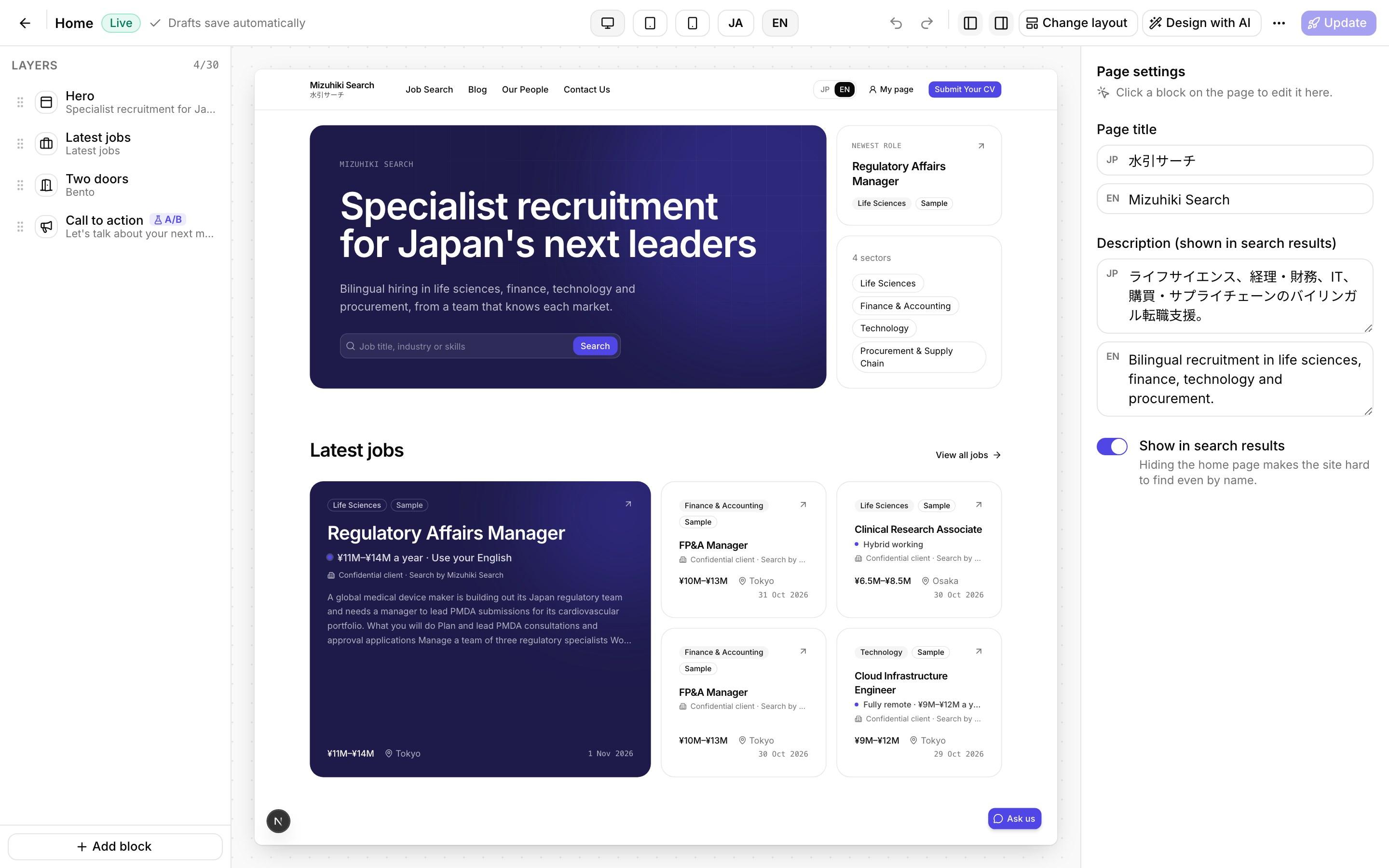

Real screens from Mizuhiki Search, a demo agency. Every name and figure on them is a sample.
See Each Tool at Work
Walk-throughs on real screens
Page design
Redesign Any Page by Asking, Then Make It Exactly Yours
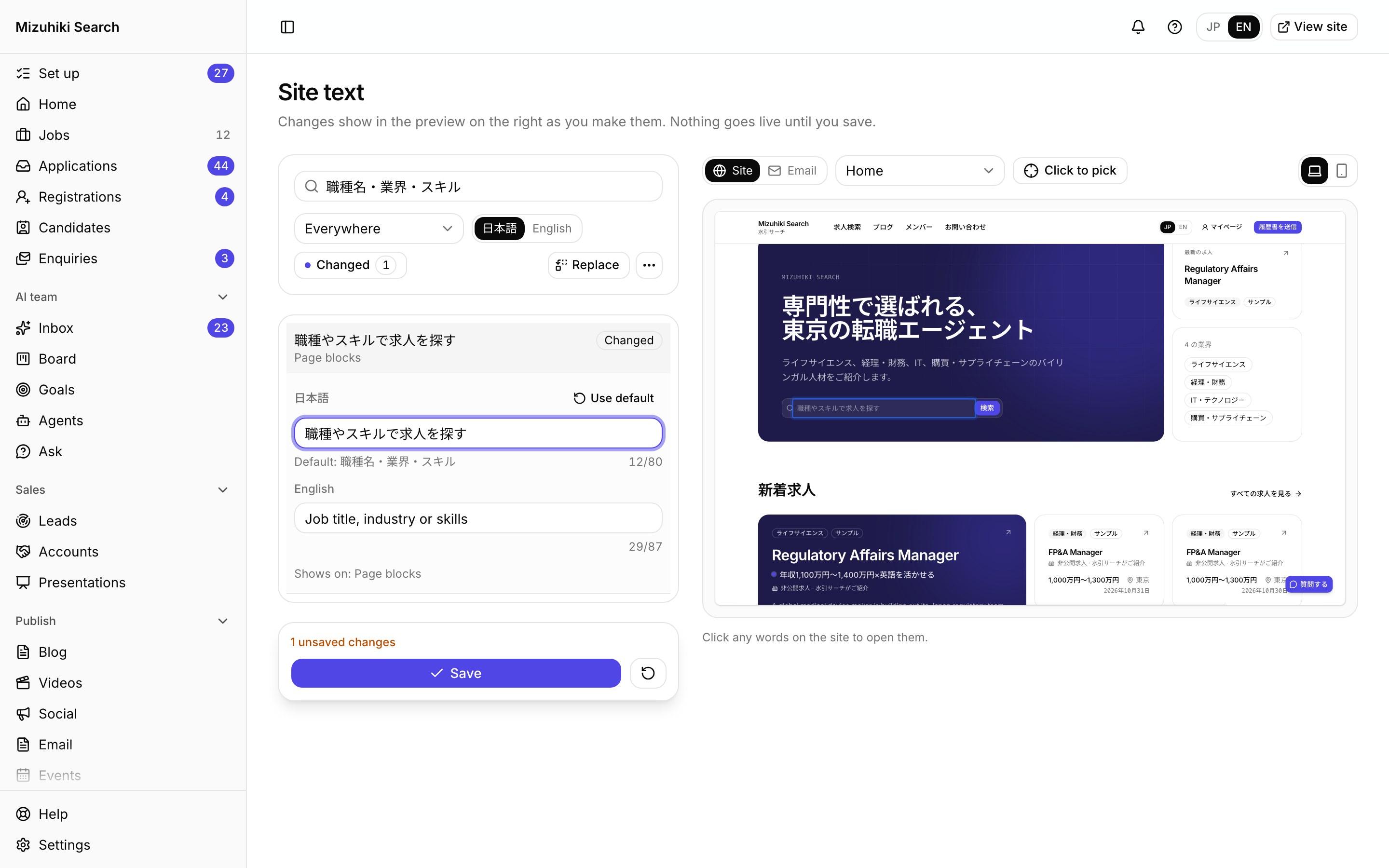
Site text
Every Word on Your Site and in Your Emails, in Your Own Phrasing
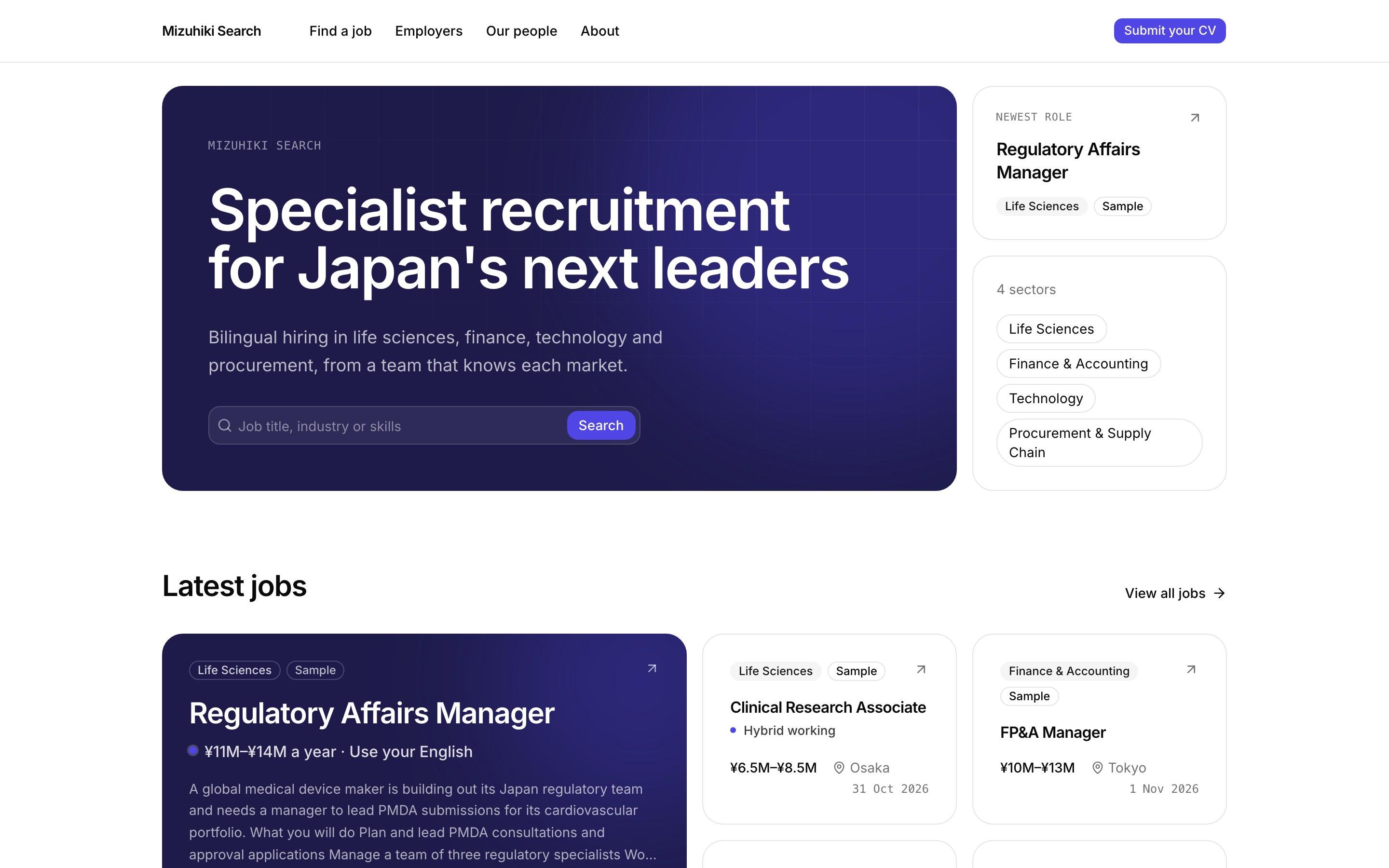
Blocks and looks
One Set of Blocks, Five Ways to Look

Your site
Your Agency's Site, in Japanese and English, on Your Own Domain
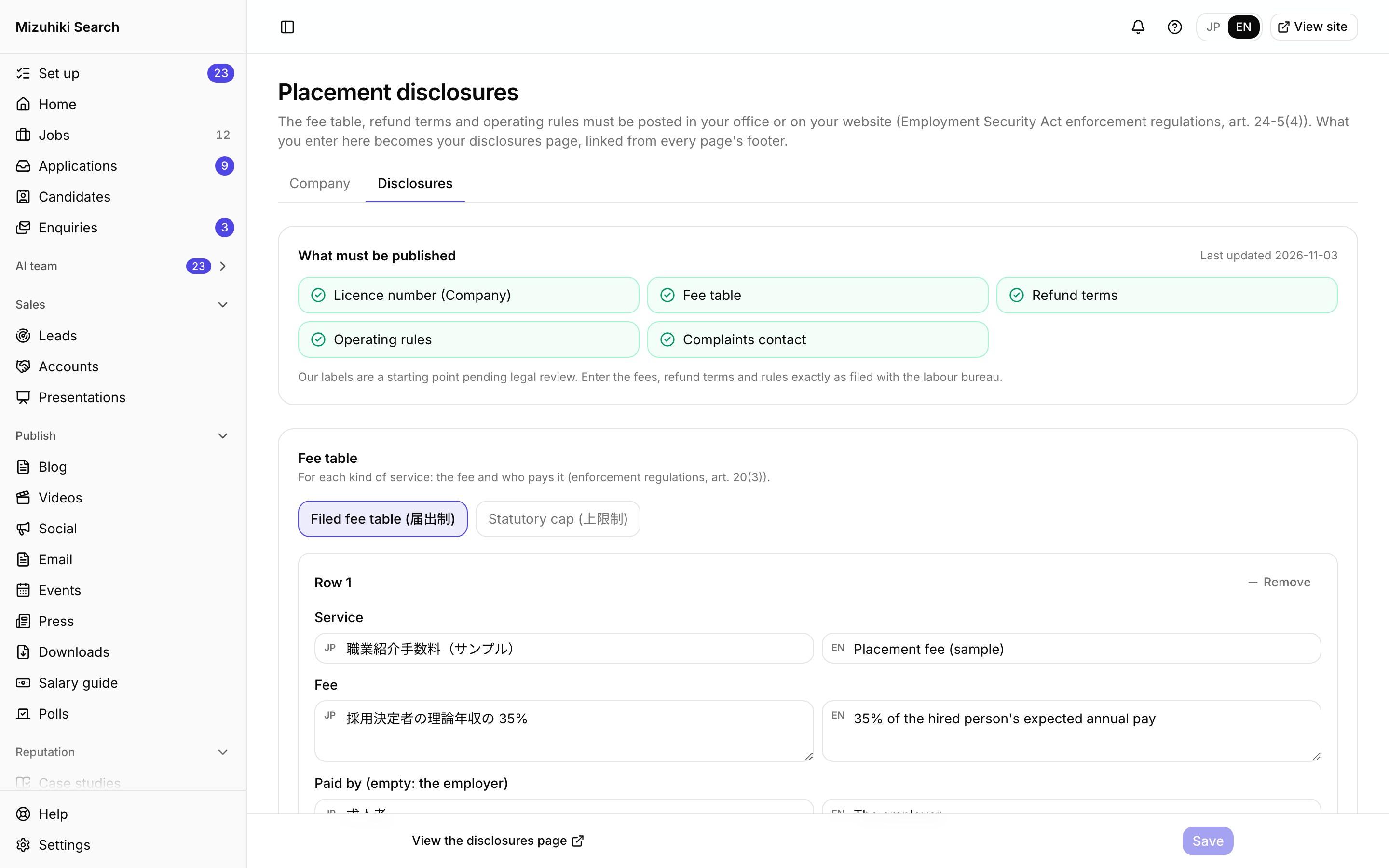
Company and disclosures
Company Details and Your Placement Disclosures, Kept Current
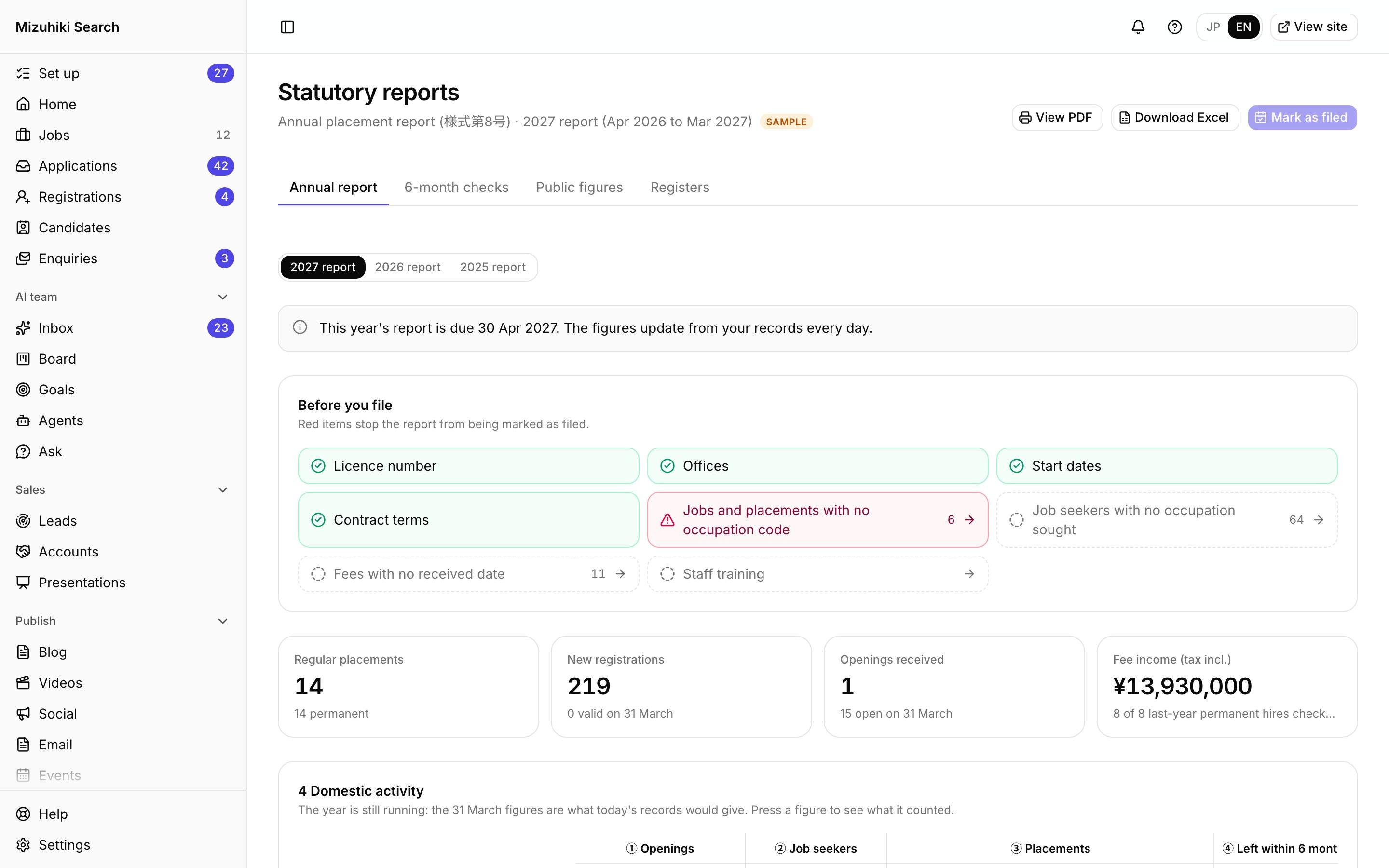
Statutory reports
Your Annual Placement Report, Prepared From Your Own Records
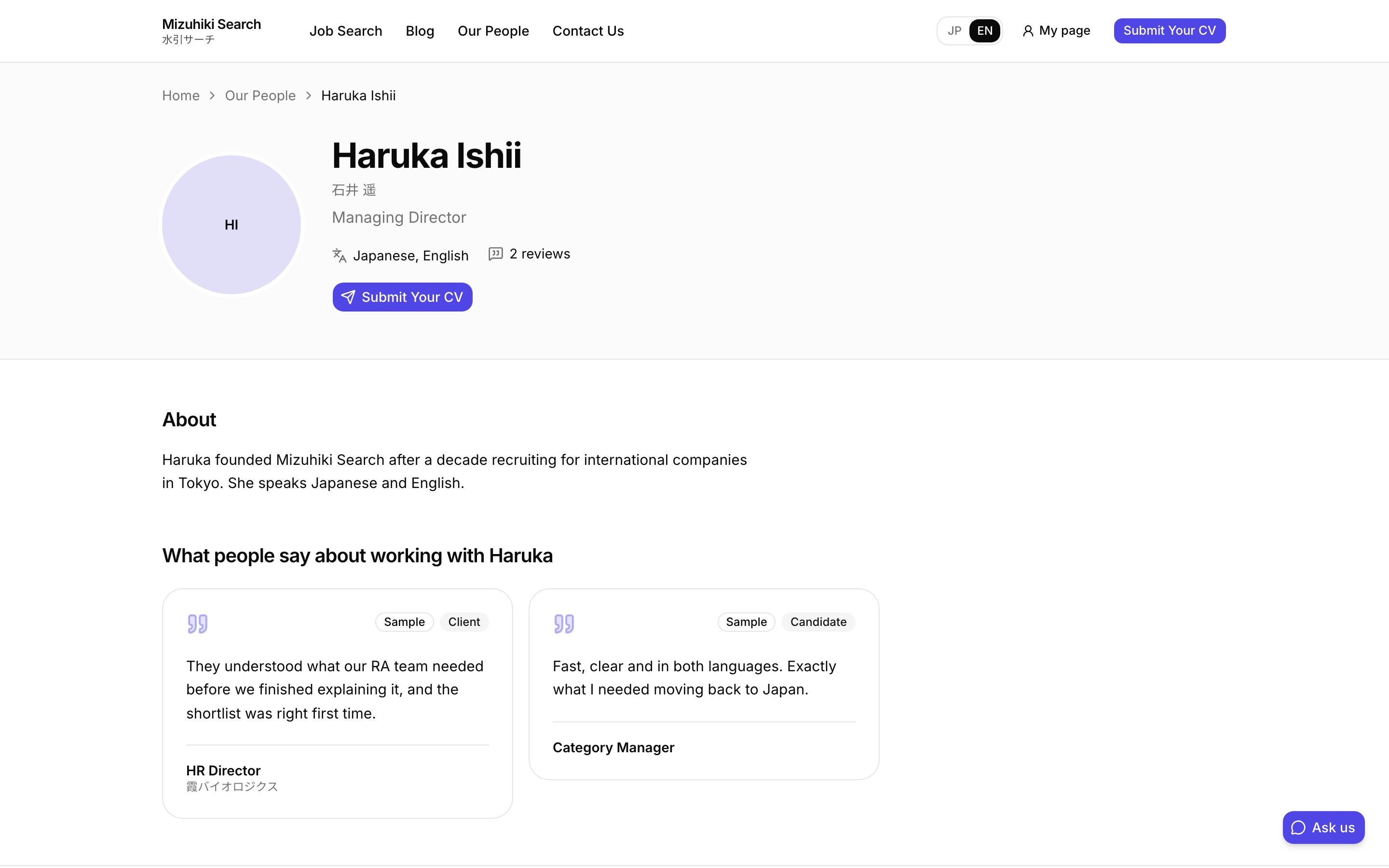
People
Consultant Profiles Candidates Can Choose From
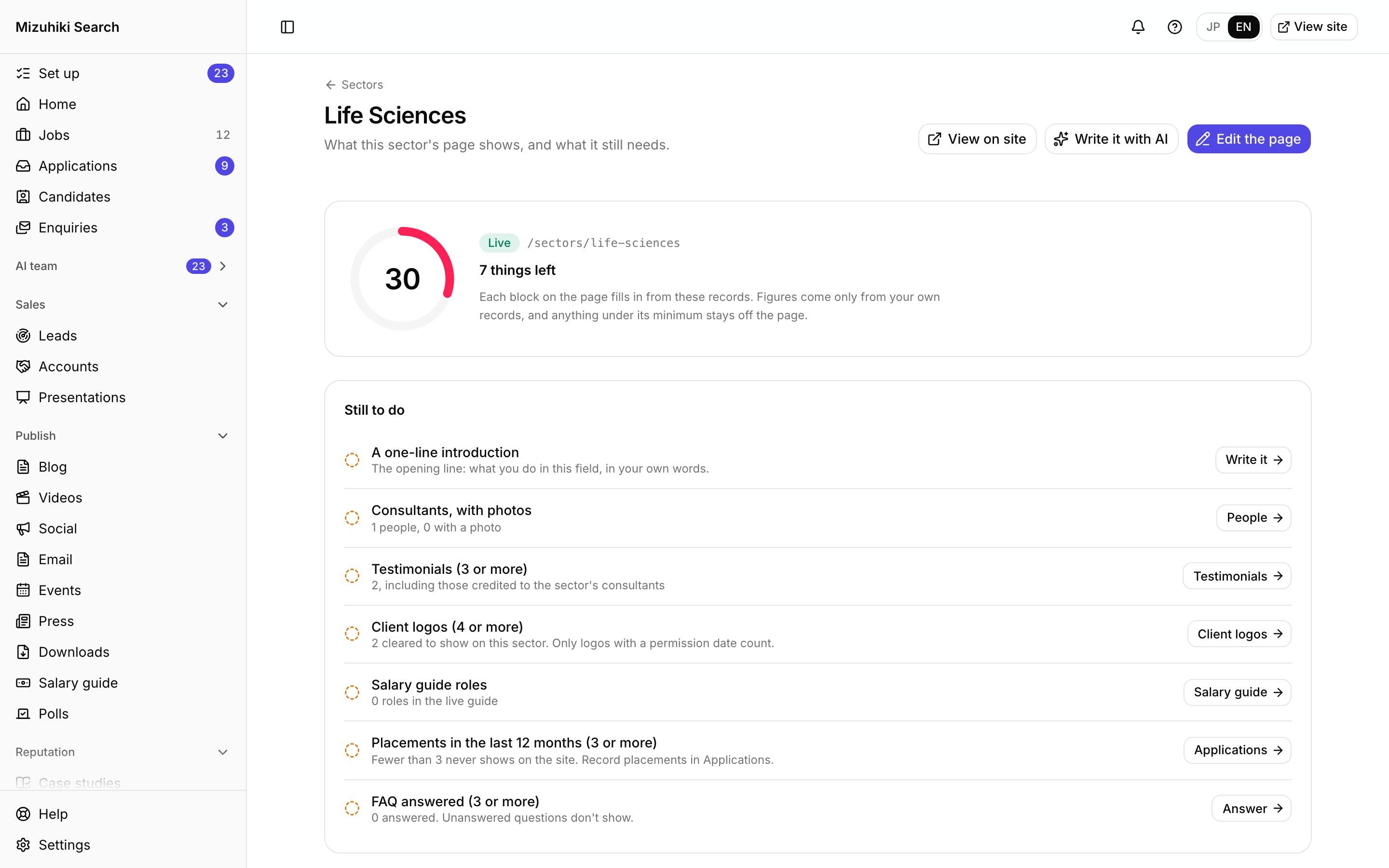
Sector pages
A Page for Every Sector You Recruit In
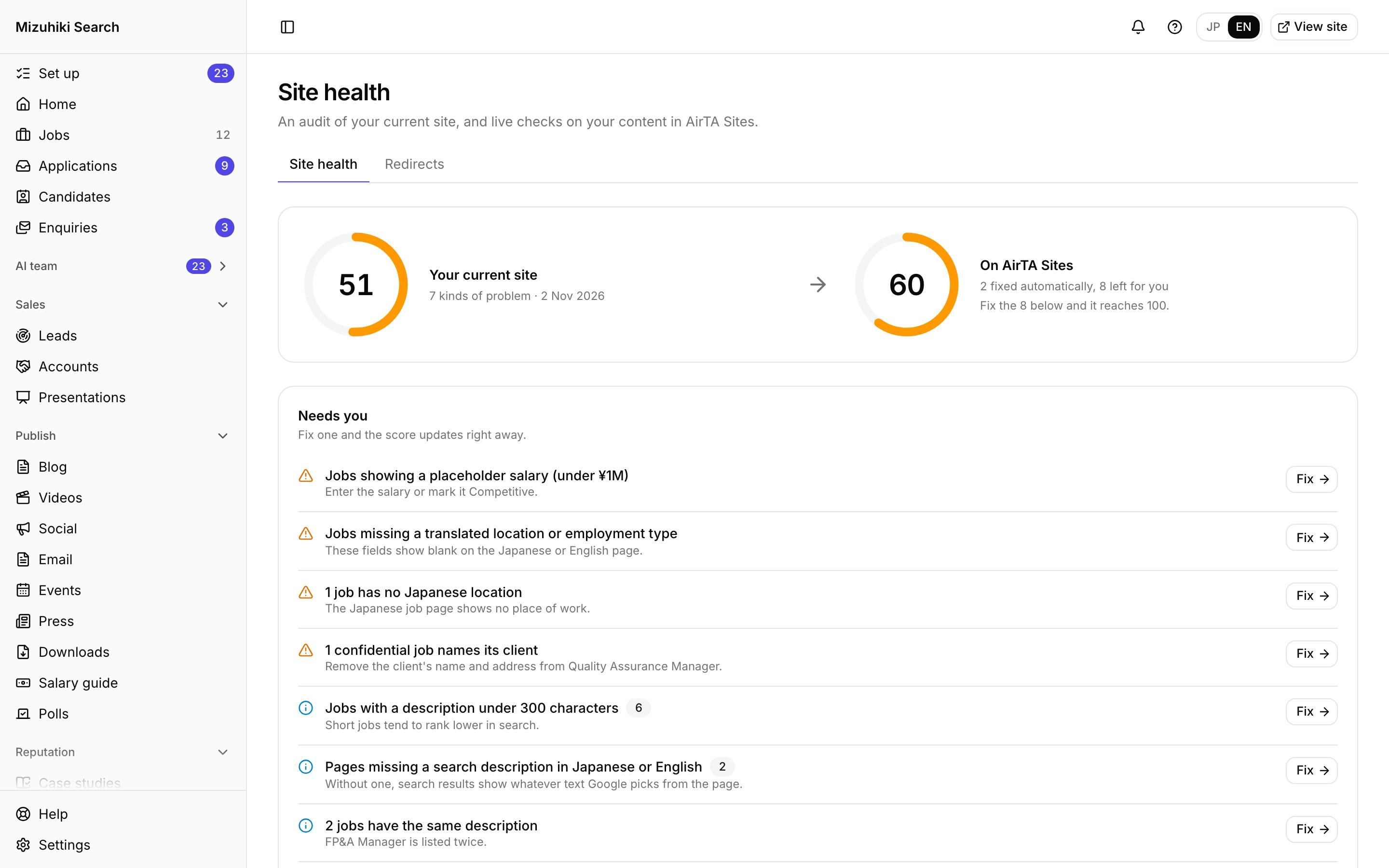
Site health
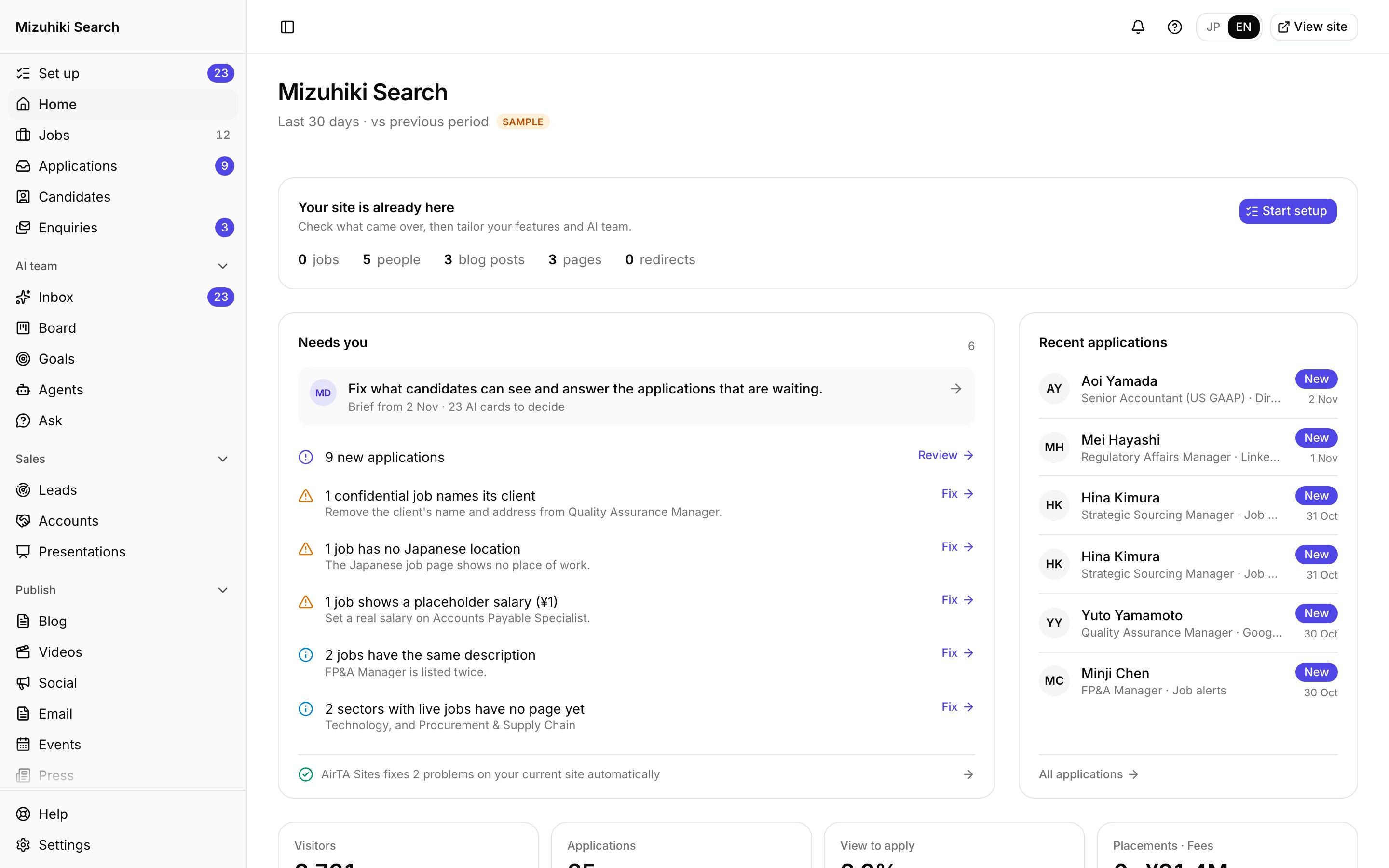
Site Health: What Your Current Site Gets Wrong, and the Fix
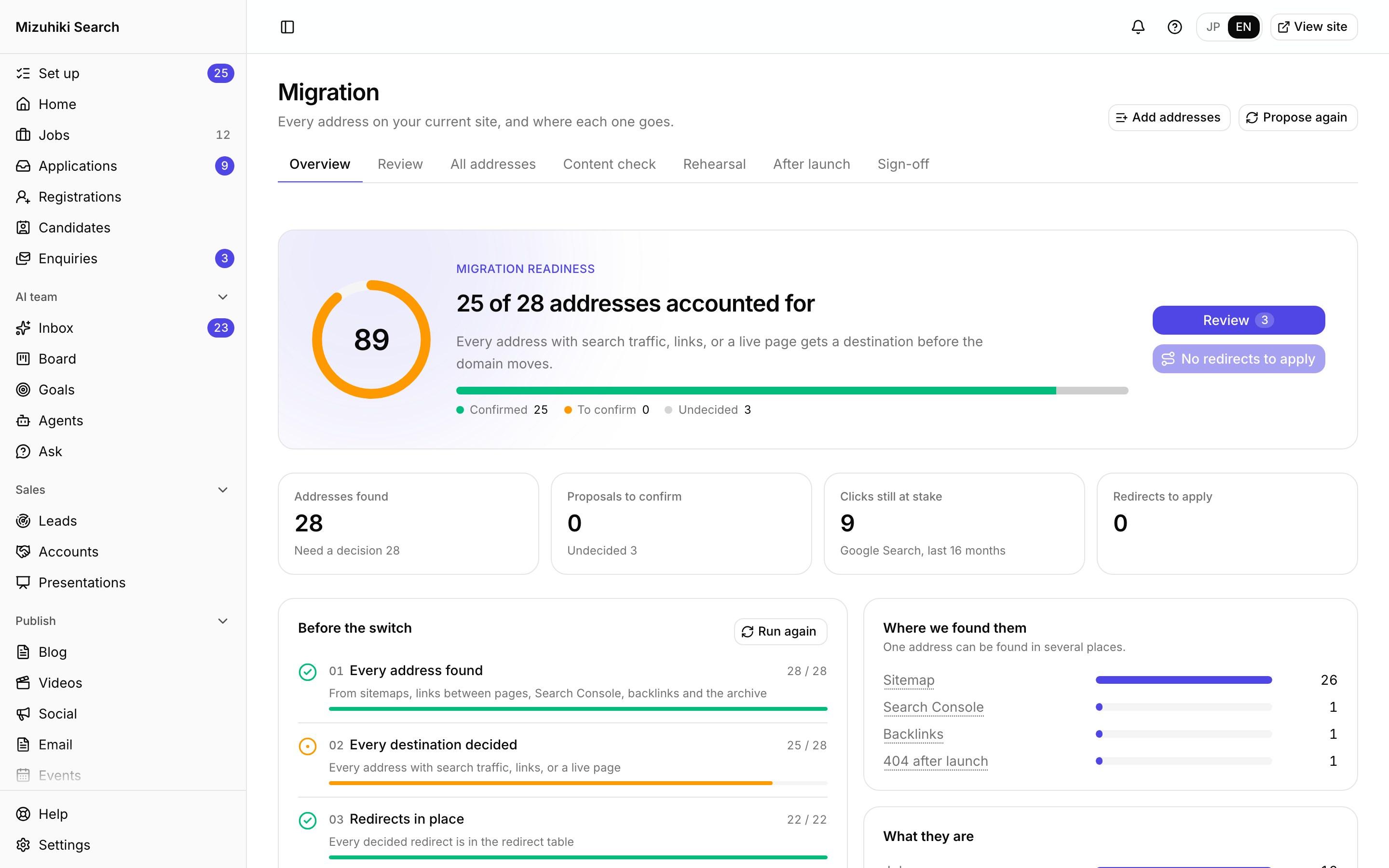
Migration
Move Your Site Without Losing an Address
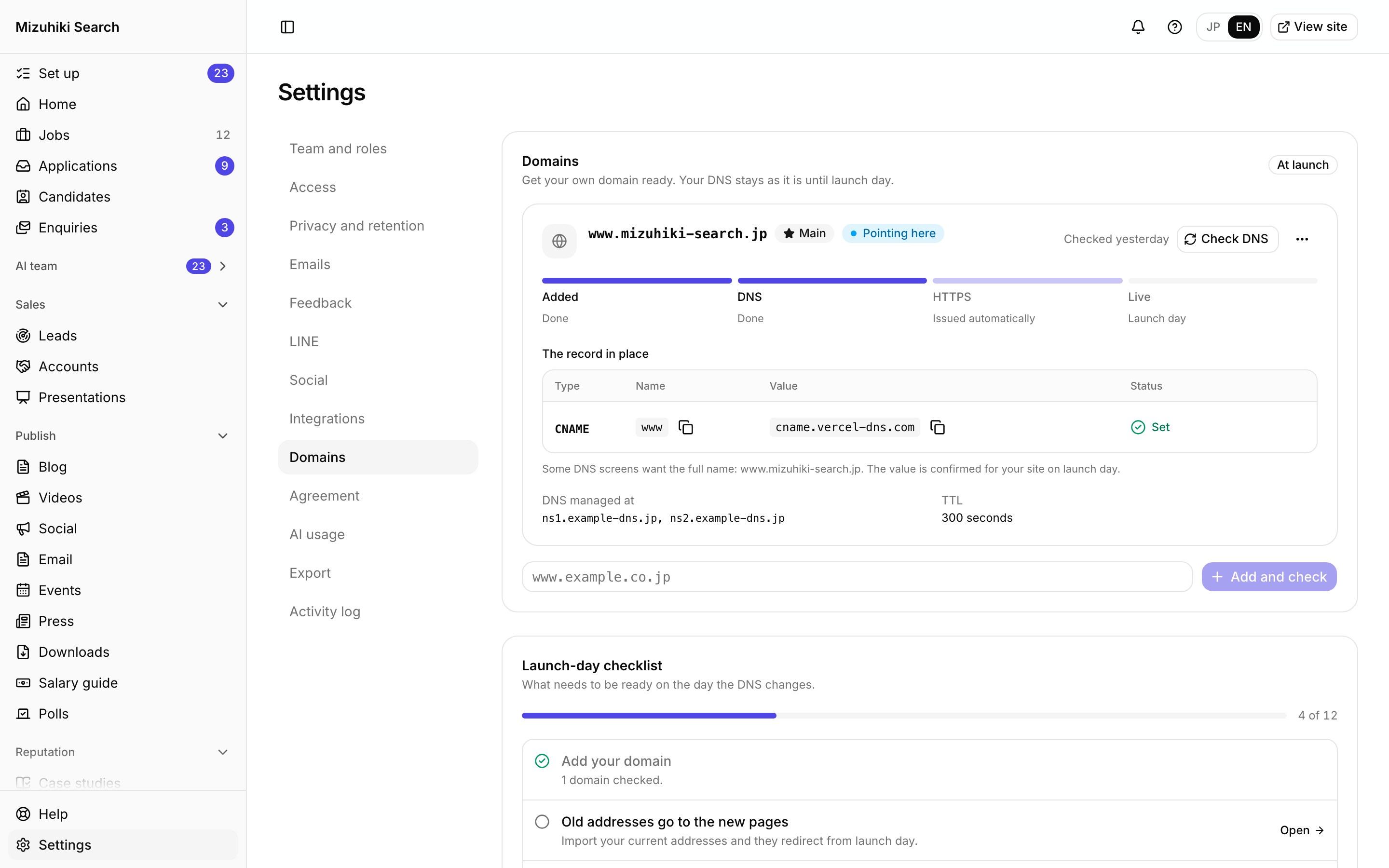
Domains and launch
Your Domain, Switched Over on Launch Day, with You
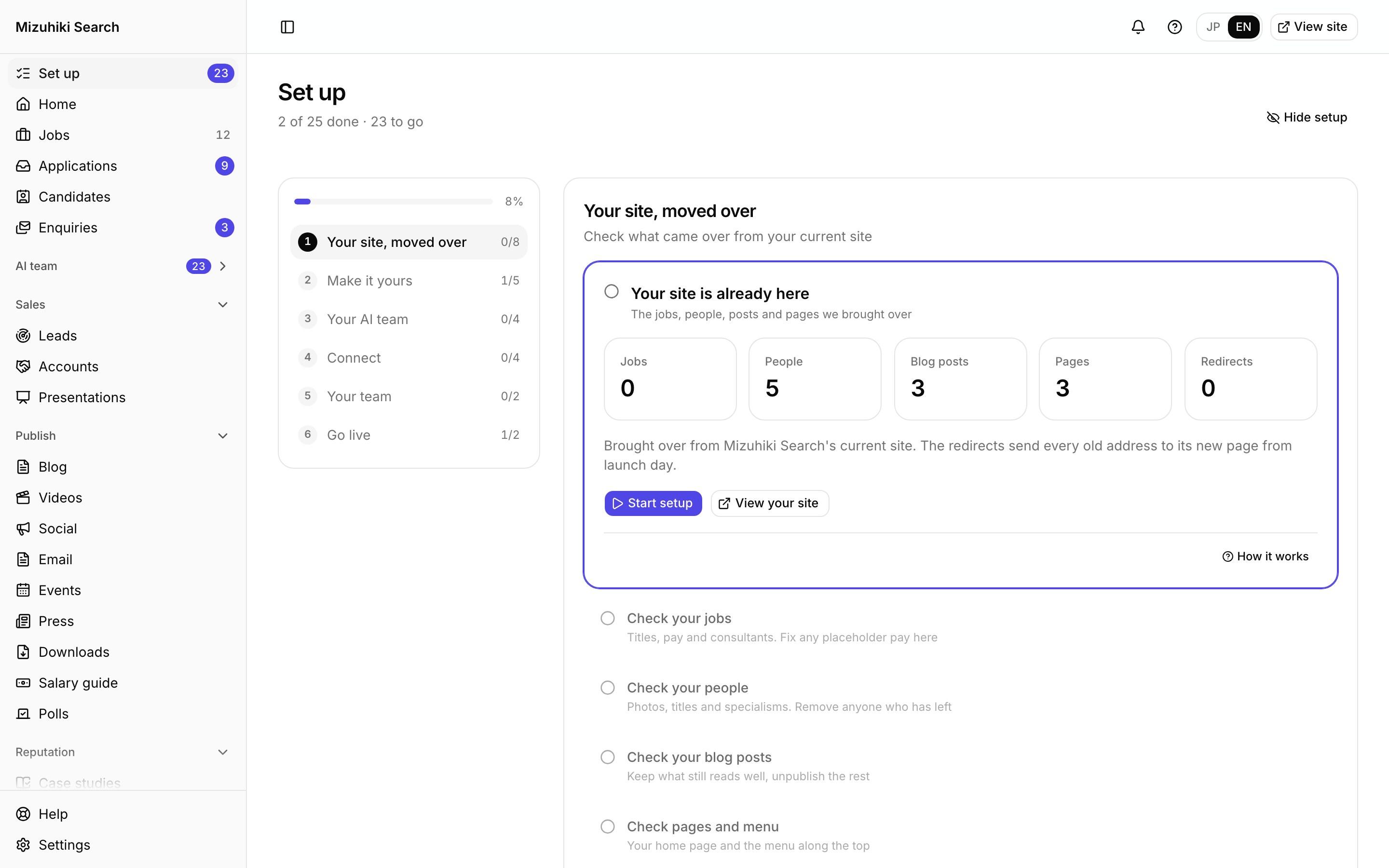
Guided setup
Guided Setup: From Your Preview to Launch, Step by Step
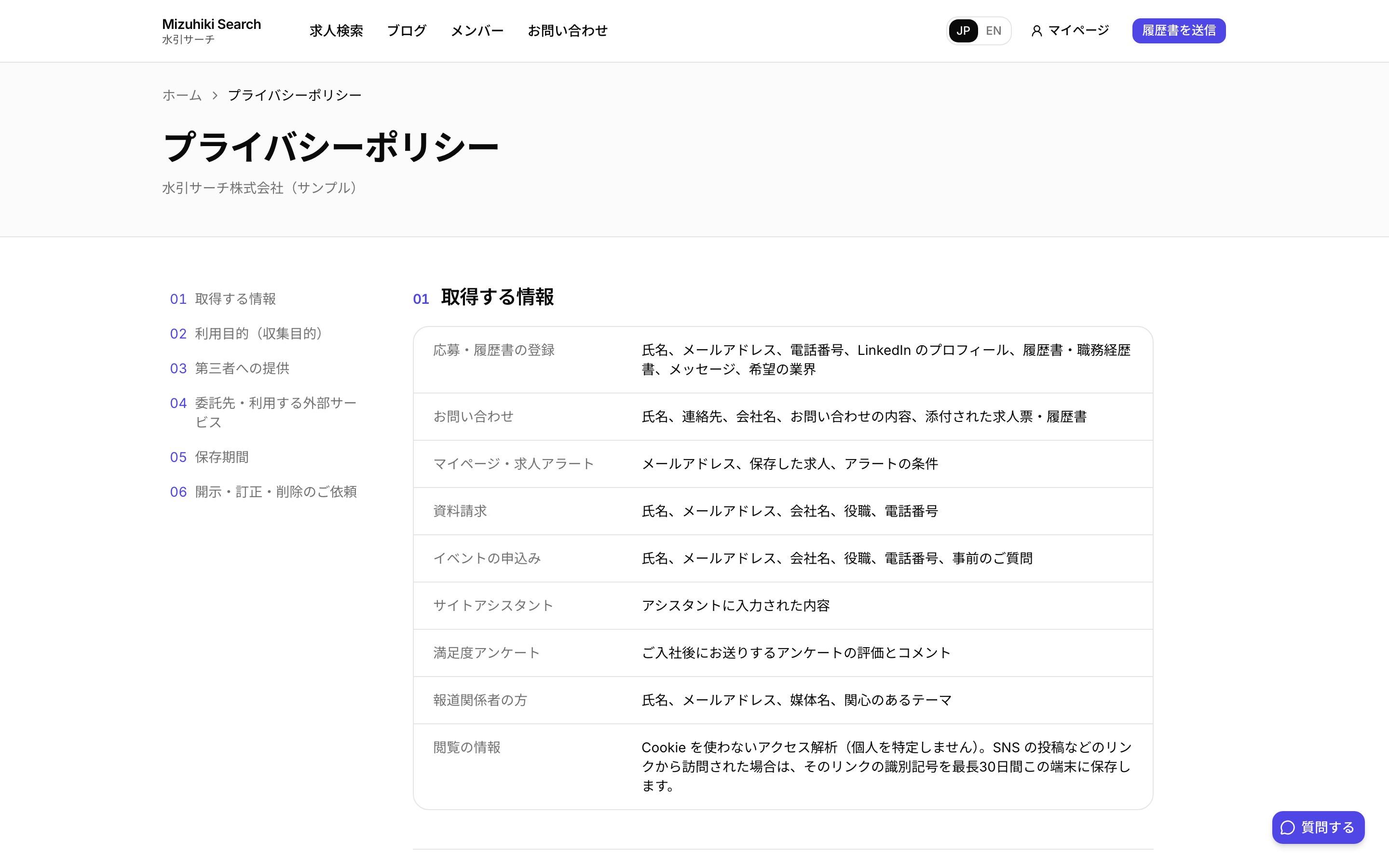
Privacy and retention
A Privacy Page and Retention That Run Themselves
Admin
One Admin for Your Whole Agency's Marketing
Try it
Your Brand, Five Ways
The same site in five looks, repainted with your name and colour. Every look takes every block, so changing yours later never means rebuilding a page.
Tiles of different sizes holding live jobs, people and quotes
We'll build this with your real jobs, people and words, on a private link only you can open.
Build mine with my real jobsLive: a demo agency's home page, built from the same blocks yours gets.
Five looks
Five Looks, One Set of Blocks
A look is how a block is drawn. Switch a page's look and your words come with it: the same content as a grid of cards, a ruled index, a bento of tiles, numbered chapters or a statement.
- Classic: Cards in a grid: the standard design
- Index: Ruled rows, no cards: jobs and people scan like a list
- Bento: Tiles of different sizes holding live jobs, people and quotes
- Chapters: Numbered sections with the heading pinned on the left
- Statement: Large type and space: for pages that lead with words

53 Blocks, Every One Bilingual
Grouped the way a page usually runs. Blocks that show jobs, people or figures fill themselves from your data.
Opening2
Hero
Headline and search
Two doors
One way in for job seekers, one for employers
Content11
Text
A heading and paragraphs
Highlights
POINT 01 / 02 / 03: an icon, a title, two lines, and a dated figure
Message
One pulled line, the letter, and who signs it (with their photo from People)
Reasons
Short titled points: numbered, a grid, or a checklist
Steps
A numbered process
Services compared
Two to four service lines side by side
FAQ
Questions and answers
Glossary
Terms and what they mean
Roles we recruit
Roles by area, with each area's share of your live jobs
Legal document
Numbered articles with a contents rail (privacy, terms)
Sub pages
The pages under this one
Jobs and people8
Latest jobs
Your newest live jobs
Job list
Picked or matching live jobs, as cards, a carousel or a table
Jobs by location
Live jobs counted by place (counted automatically)
Sectors
Every sector with its job count
People
Team photos and titles
Video
The sector's job and consultant videos, or one YouTube or Vimeo video
Blog posts
Your newest posts
Insights and resources
The sector's posts, reports and salary guide
Proof12
Track record
Placements, days to placement and roles placed (from 3 up)
People we've placed
Average age, pay, experience and more, from your records or figures you bring
Client logos
Logos of clients who agreed to be shown
Our team's view
Your team's view of the sector, from their answers you chose, named and dated
Testimonials
Client and candidate quotes, with their consultant
Candidate interview
A placed candidate's questions and answers, with their consultant
Case studies
Brief, approach, result and outcome figures
Figures
Dated, defined figures (some counted automatically)
Awards and press
What, from whom, when
Live demand
Live jobs, places, terms and stated pay, from your live jobs
Market context (AirTA)
AirTA's posting data: volume, companies hiring and language asks, with its source
Salary guide
One sector's roles and pay, from your salary guide
Company5
Services
Your engagement models compared (from Company)
Timeline
Dated entries in order
Offices
Address, stations and contacts (from Company)
Company profile
Company facts incl. licence numbers (from Company)
Fees and refunds links
Links to the fee table, refunds and complaints on your disclosures page
Forms and calls to action8
Download
A report people get for their email
Event
Your next event (or one you pick), with its registration form
Poll
What your team said, or a poll visitors can vote in
Refer a friend
Reward, who qualifies, how it works, small print, and a button to enquire
Contact form
Shows an enquiry form from Forms
CV form
Shows a registration form from Forms
Newsletter sign-up
Visitors subscribe with an email; the consent is recorded
Call to action
A prompt to apply or get in touch
Careers7
Career path
Each rung, when people reach it and its duties, with your people on the rungs
A day in the life
One person's day, hour by hour
Careers figures
Your own dated figures: average age, gender ratio, tenure
Benefits
Benefits in groups, one per line
Hiring flow
Steps from application to offer, with how long each takes
Open roles
Your own open roles (from Careers › Roles)
Careers apply
The careers apply panel (chat or form)
AI page design
Design a Page by Describing It
Say what the page should do and get three designs, built only from your site's blocks and only from facts in your site's data. The one you pick becomes a draft in the visual editor.
- Say what the page is for: "A page for finance candidates in Osaka", or "Show employers how we run a retained search".
- Get three designs: Each one built only from your site's blocks, and only from facts already in your site's data.
- Pick one, change anything: The design you choose becomes a draft in the visual editor. Move blocks, rewrite words, swap the look.
- Publish when you're ready: Nothing goes live until a person publishes it, and every version is kept.
 Open it live
Moving over
Move Without Losing Google
Most of a site's search value lives in its old addresses. Every one is mapped and redirected before launch, and the redirects stay yours to manage.
- Every old address mapped: We list every page and job address on your current site and point each one at its new home before launch.
- Redirects you control: See every redirect, add one, or upload hundreds from a spreadsheet. You're warned when a target page doesn't exist.
- Readable job addresses: Job pages get plain English addresses, never romanised Japanese, so they read well in search results and chats.
- Checked every night: Once you're live, broken links, missing titles, sitemap gaps and expired jobs show up on Home with the fix.
 Open it live
Company and disclosures
Your Licence and Disclosures, Entered Once
Your placement licence, offices and company facts feed the footer, company profile and contact page. The information disclosure page every fee-charging agency must publish is built from the same form.
- Entered once: The footer, company profile, contact and employer pages all read the same facts.
- The disclosure page: Fee table, refund terms, operating rules and the complaints contact, in your own wording.
- Counted figures: Live jobs or consultants can be counted from your published data, so they never go stale.
Open it liveStatutory reports
Your Annual Report and Registers, From Your Records
The annual placement report, the six-month checks, the figures for MHLW's placement results site and the three registers every licensed agency keeps, all counted from the records your team already works in. You check them and file them.
- The annual report: Your annual placement report, counted from your jobs and placements, with what's missing listed first and MHLW's own Excel to file.
- Six-month checks: Each permanent placement checked with the employer in one click, or recorded from a call.
- Registers: The job, job-seeker and fee registers, printed or exported for a labour bureau inspection.
Open it liveGuided setup
From Your Preview to Launch, Step by Step
Six chapters take your team from checking what moved over to going live. Steps tick themselves off from your data, so the list always shows what's really left.
- Six chapters: Your site, moved over. Make it yours. Your AI team. Connect. Your team. Go live.
- Done from data: A logo, a domain or a colleague ticks its step off the moment it's there.
- Nothing missed: Everything your site needs from you before launch has its own step, with its Help article.
Open it liveWho Works on Your Website
Meet the whole teamSEO and Content
Finds searches you nearly rank for and drafts the sector pages and posts to close the gap.
Site Analyst
Spots the pages and calls to action that lose visitors, with the numbers behind each one.
AI Director
Puts the one or two changes worth making today at the top of your morning brief.
See Your Own Site in It
We'll rebuild your home page and a job page with your real jobs and words, on a private link only you can open.
Start free trial