Site Health: What Your Current Site Gets Wrong, and the Fix
An audit of your current site, scored, next to live checks on your content in AirTA Sites. Fix an item and the score moves at once.
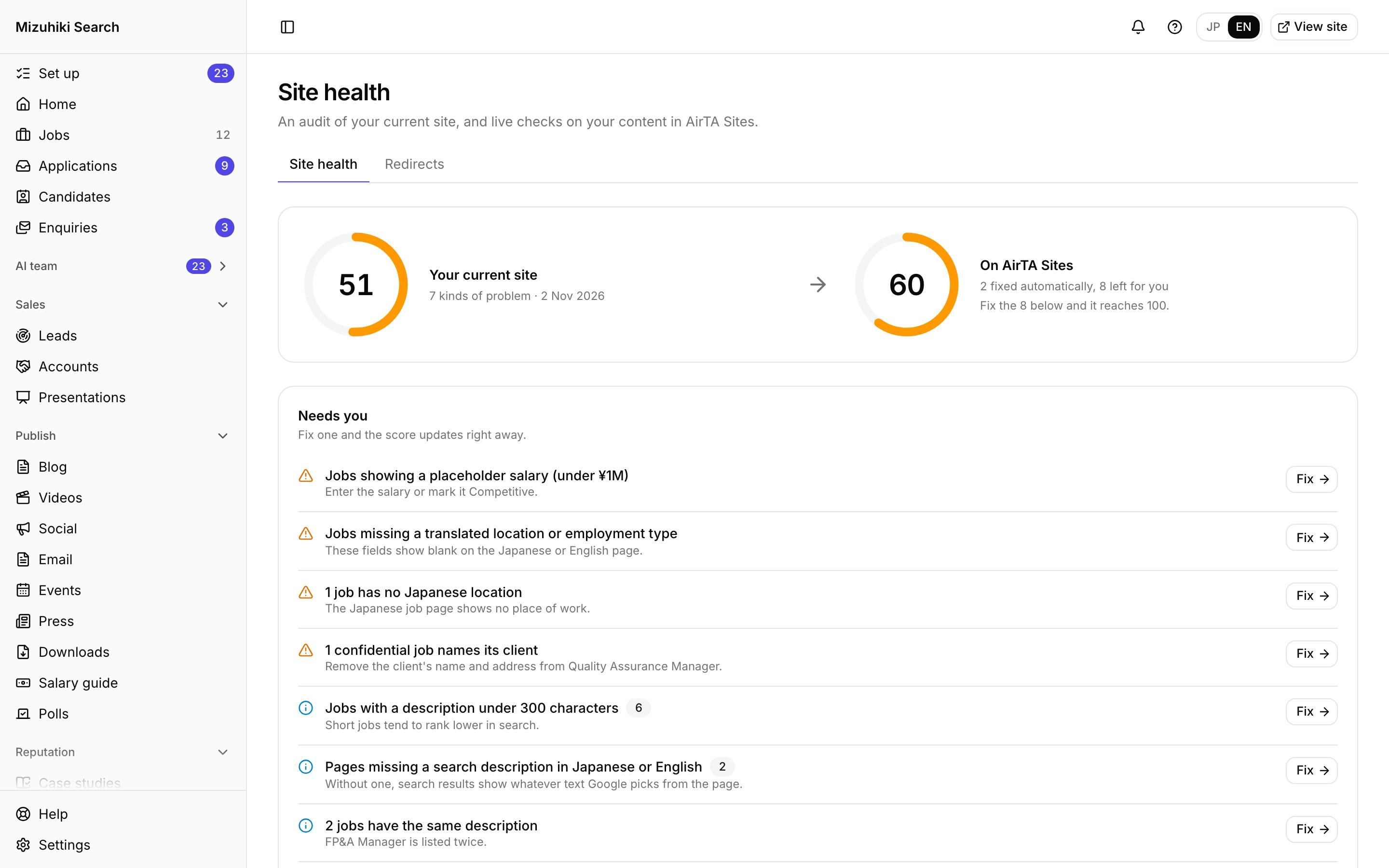
Real screens from Mizuhiki Search, a demo agency. Every name and figure on them is a sample.
How it works
From the audit to a site that stays healthy
01 · The score
Your current site, and the same content on AirTA Sites
Problems your site has today are listed by kind. The ones AirTA Sites rules out by design are marked as fixed automatically.
Admin · Site healthOpen it live02 · Redirects
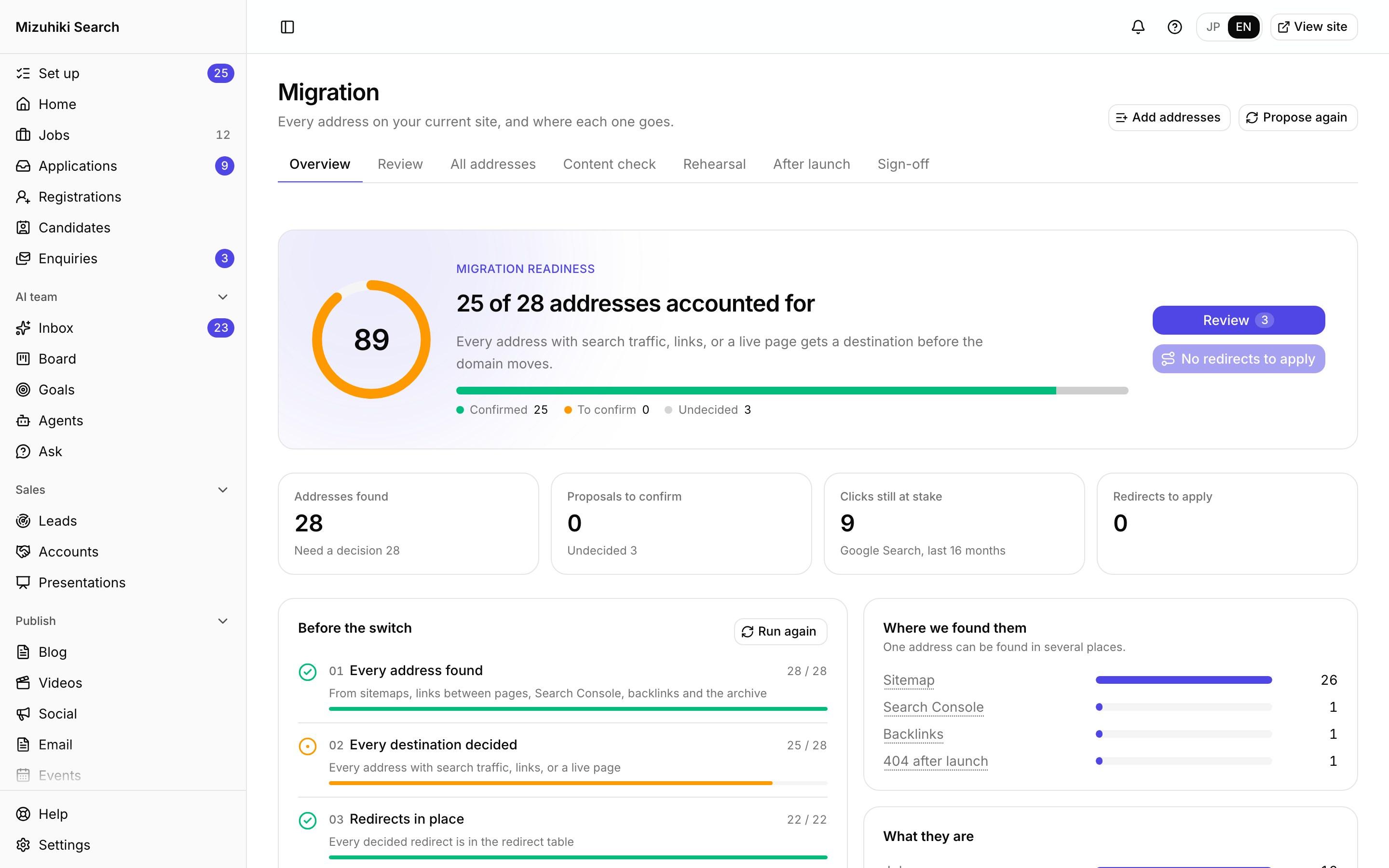
Every old address kept working
See every redirect, add one, or upload a spreadsheet of hundreds. You're warned when a target page doesn't exist.
Admin · Redirects Open it live
03 · Jobs
Job problems flagged where you work
Cut-off titles, placeholder salaries and jobs past their date show on the job list with what to fix.
Admin · Jobs Open it live
The Details That Matter
Checked on your content
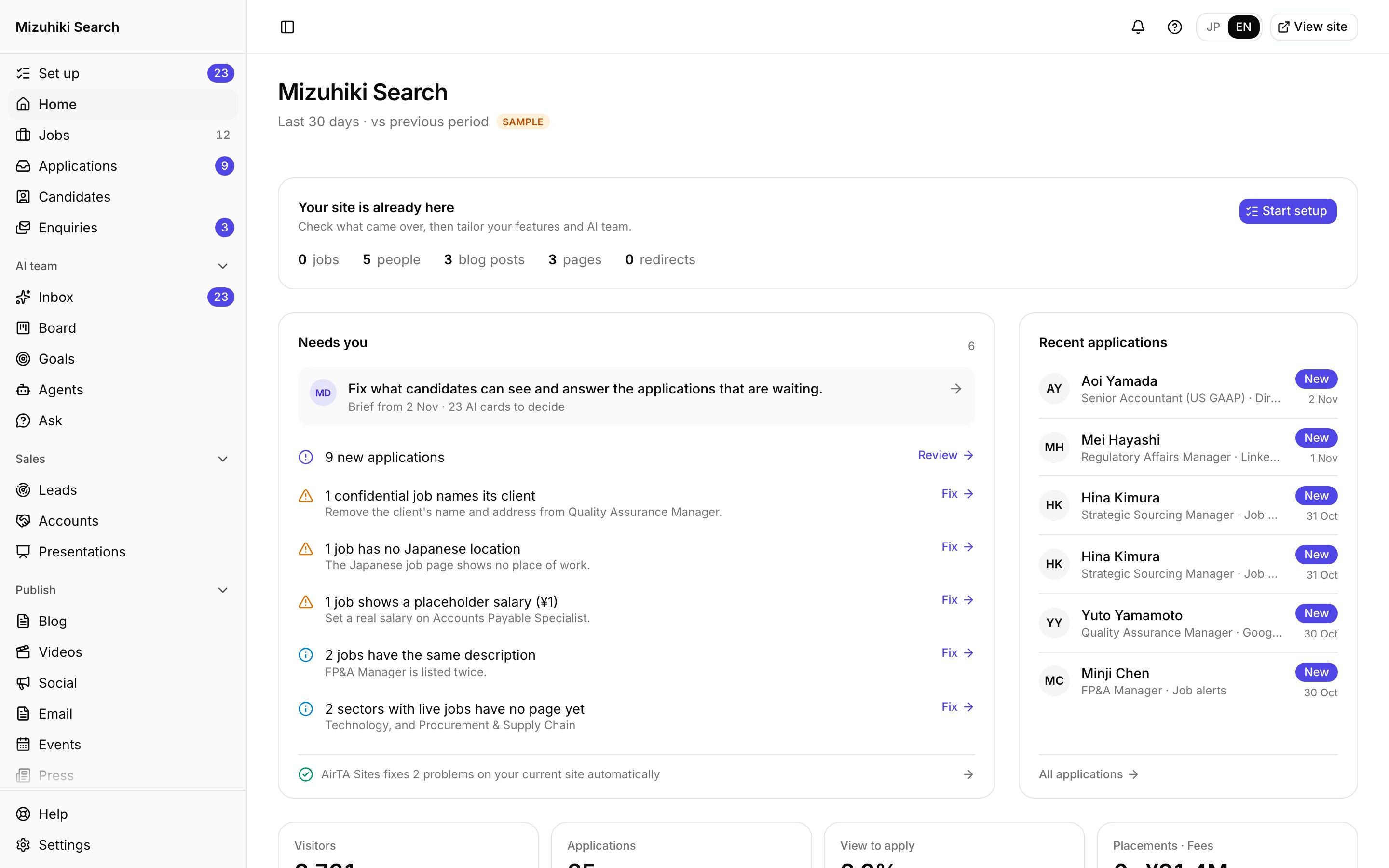
Missing titles, broken links, expired jobs and sitemap gaps are found in your own records.
One count everywhere
Home, Jobs and Site health read the same checks, so the numbers always agree.
Redirects you control
Every redirect is listed and editable, and uploads are checked before they apply.
Part of setup
Clearing site health is a step in guided setup, before launch day.

See It on Your Own Agency
We'll rebuild your home page and a job page with your real jobs, on a private link, and open the admin for you to try.
Start free trial