Reply Drafts and Interview Prep for Every Applicant
Start a reply from your own templates, or pick what it should do and the Candidate Assistant drafts it from the application and the job, in your voice. A consultant reads, edits and sends every one.
Real screens from Mizuhiki Search, a demo agency. Every name and figure on them is a sample.
How it works
From the application to the interview, with a person on every send
01 · Applications
Who is waiting on you
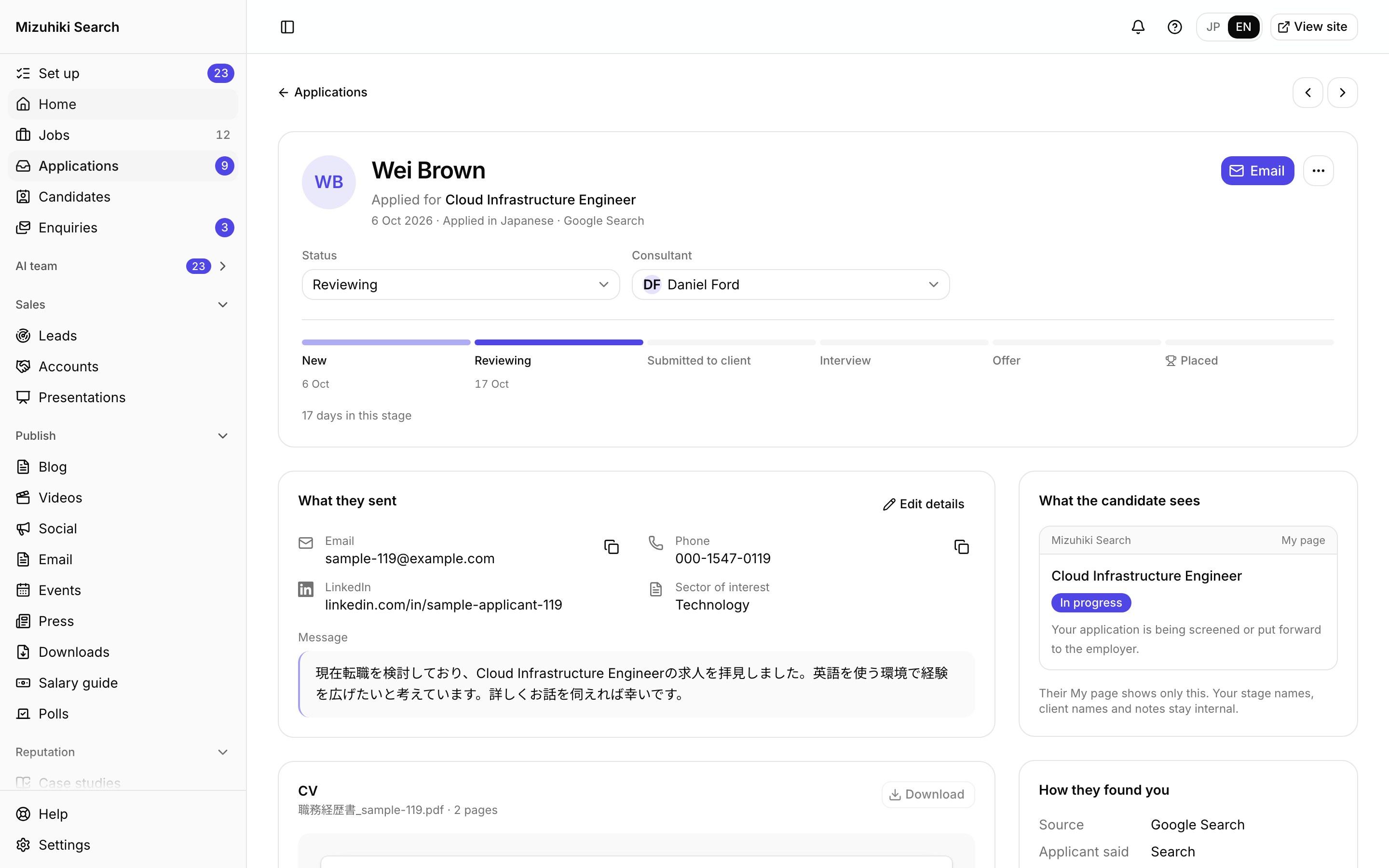
Applications waiting for a reply are listed with a Reply button on each, so nobody is left without an answer.
Admin · Applications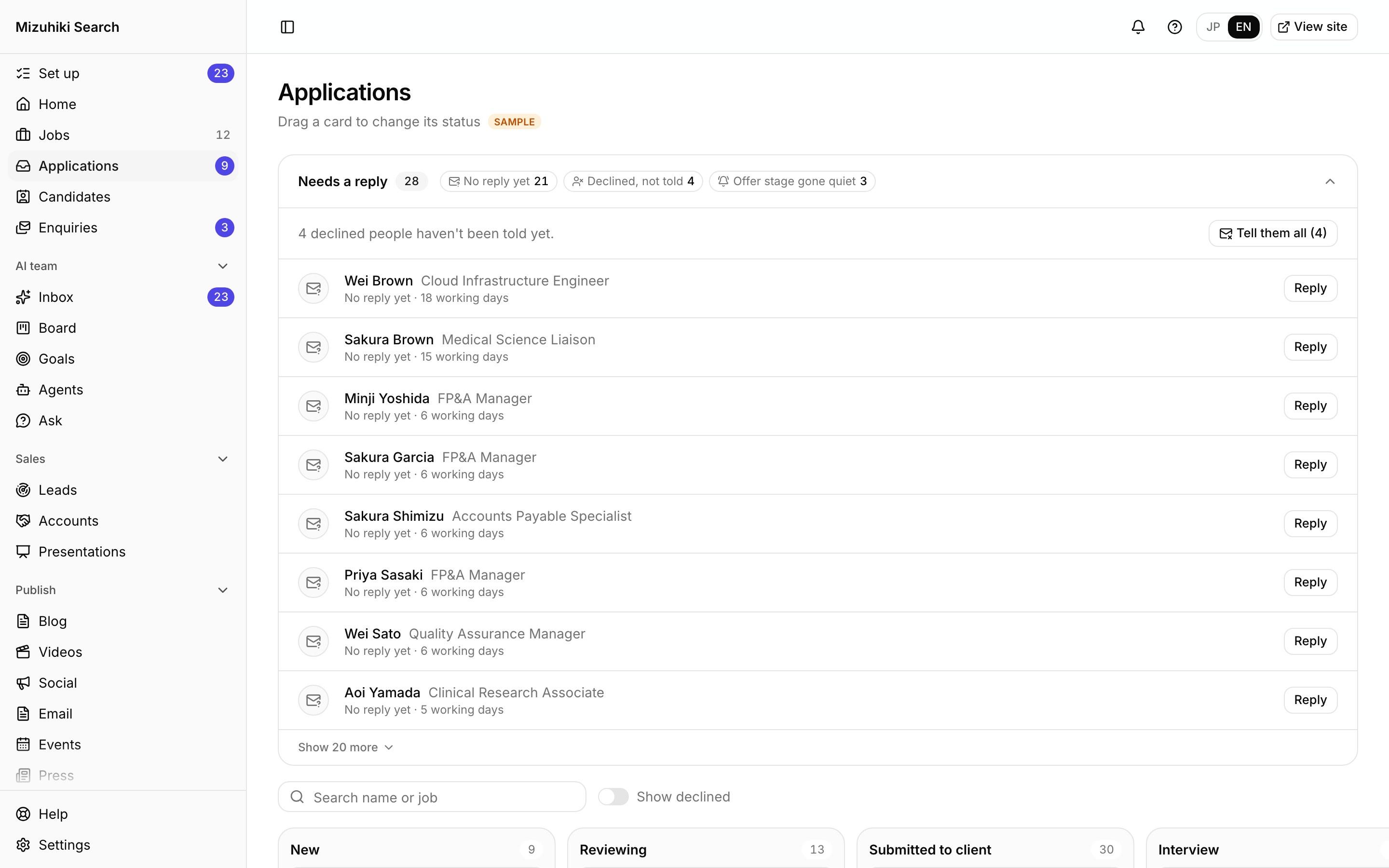 Open it live
02 · Reply
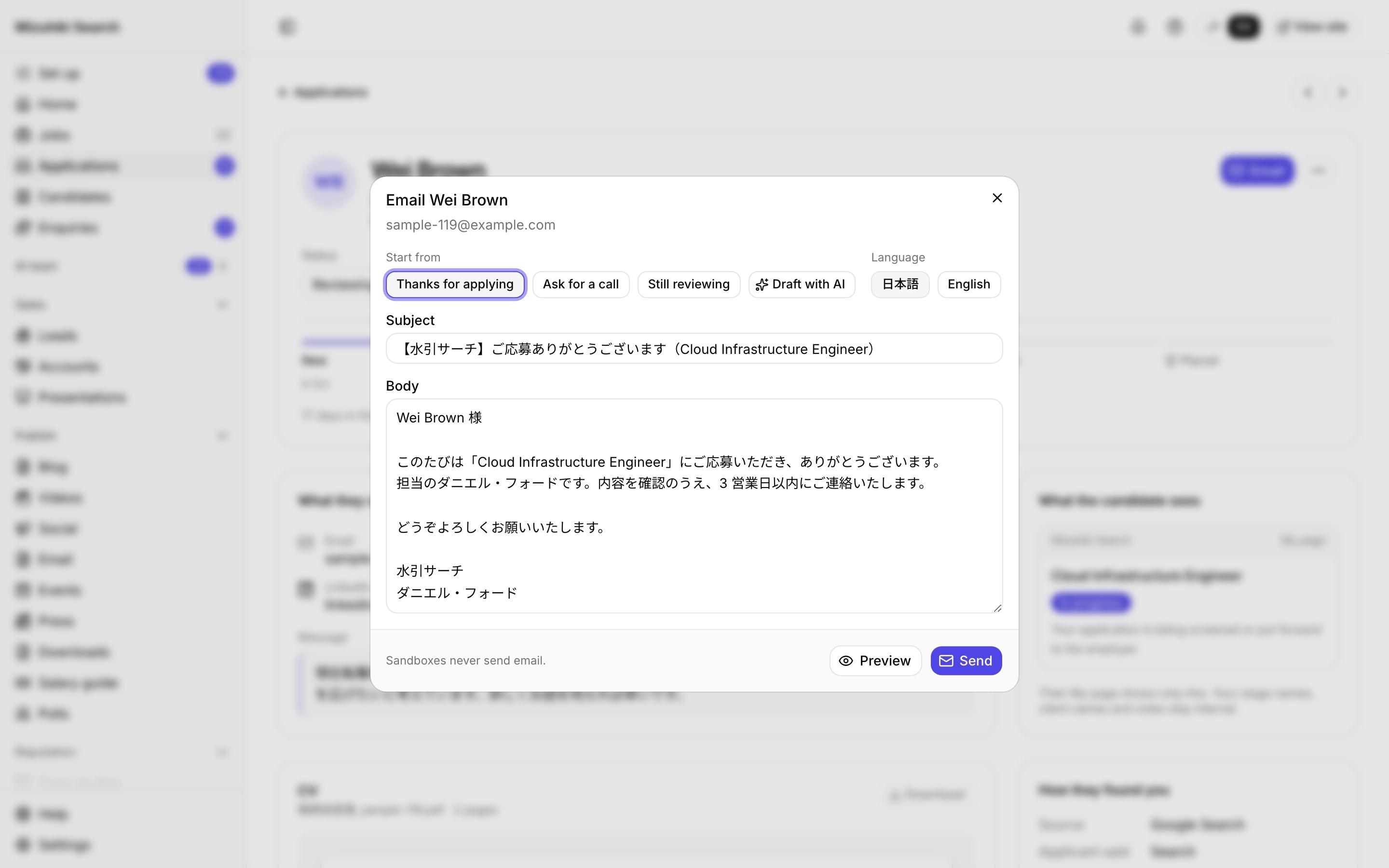
Start from a template or a draft
Thank them for applying, ask for a call or say it's still being reviewed from your own templates, or draft with AI to answer their questions or follow up an interview. Nothing goes until you press Send.
Admin · Applications · EmailOpen it live03 · Interviews
Set the interview once
With the client or with you, in person, online or by phone, who they'll meet and what to bring. The details go when you press Send, and a reminder goes at 10:00 the day before.
Admin · Applications · Set an interview Open it live
04 · On My page
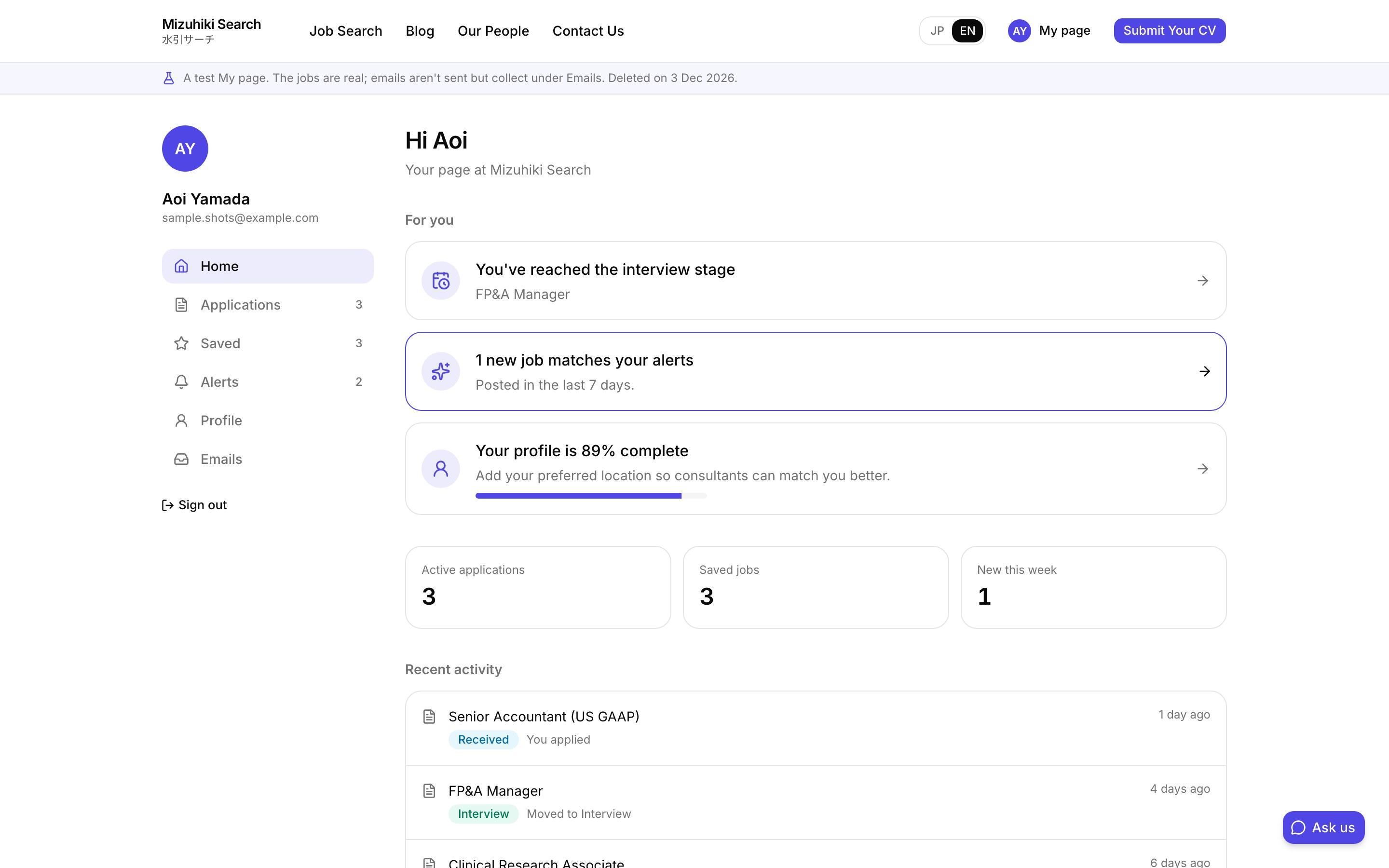
The candidate sees it too
Their My page shows each application's progress, and the interview with a map and calendar buttons once it's set.
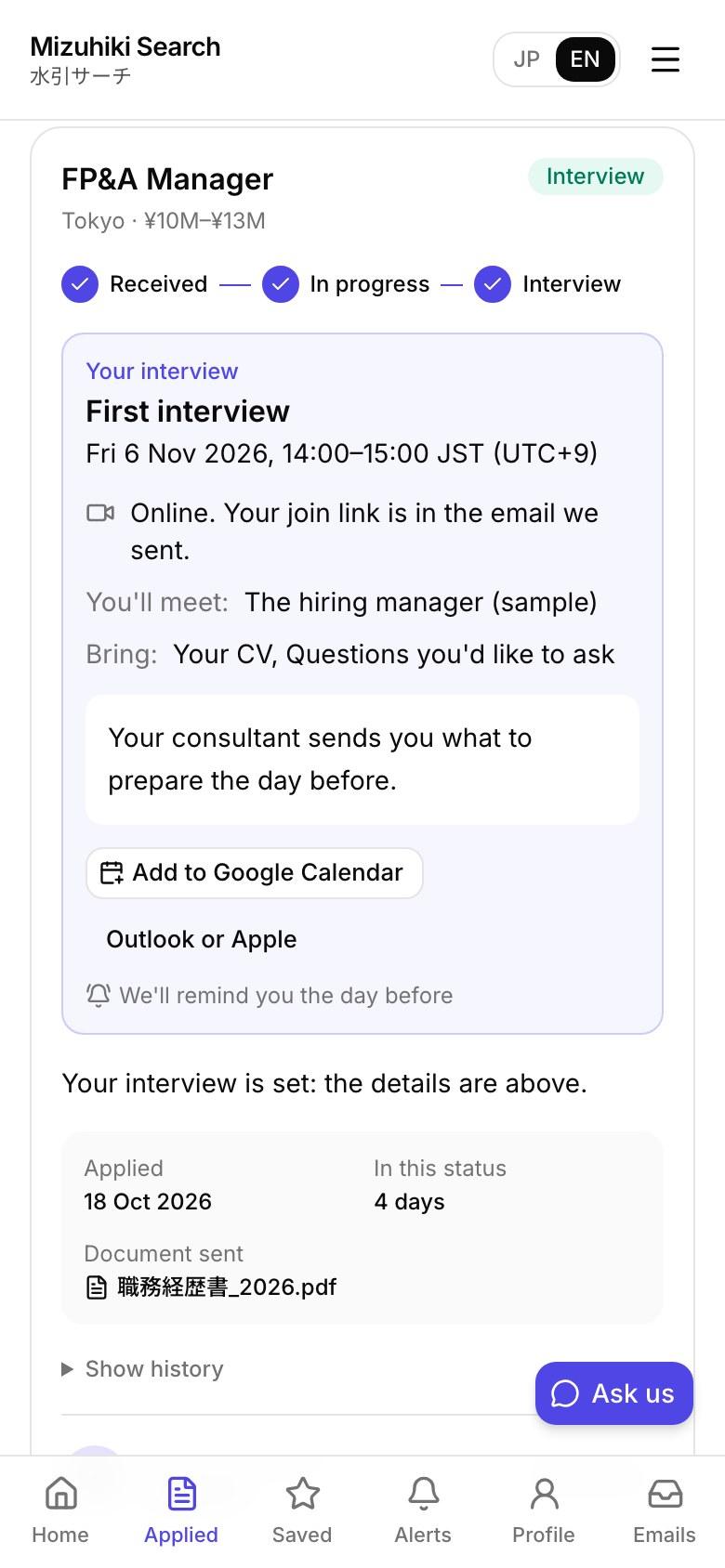
Open it liveThe Details That Matter
A person sends every reply
Nothing reaches a candidate until a consultant presses Send.
Declines from your templates
Messages saying a candidate isn't progressing come only from your own templates, never from AI.
Checked before you see it
A draft that promises an outcome, mentions a fee, names the client or uses a number the job doesn't give is stopped and written again.
Only with an owner's go-ahead
It reads applicants' details only after an owner switches it on. Names and contact details never go to AI.
See It on Your Own Agency
We'll rebuild your home page and a job page with your real jobs, on a private link, and open the admin for you to try.
Start free trial