Make the Case with Your Own Numbers
Presentations built from your people, case studies and placement record. Social graphics drawn from your live jobs. And for every post, a link that shows whether it led to a placement.
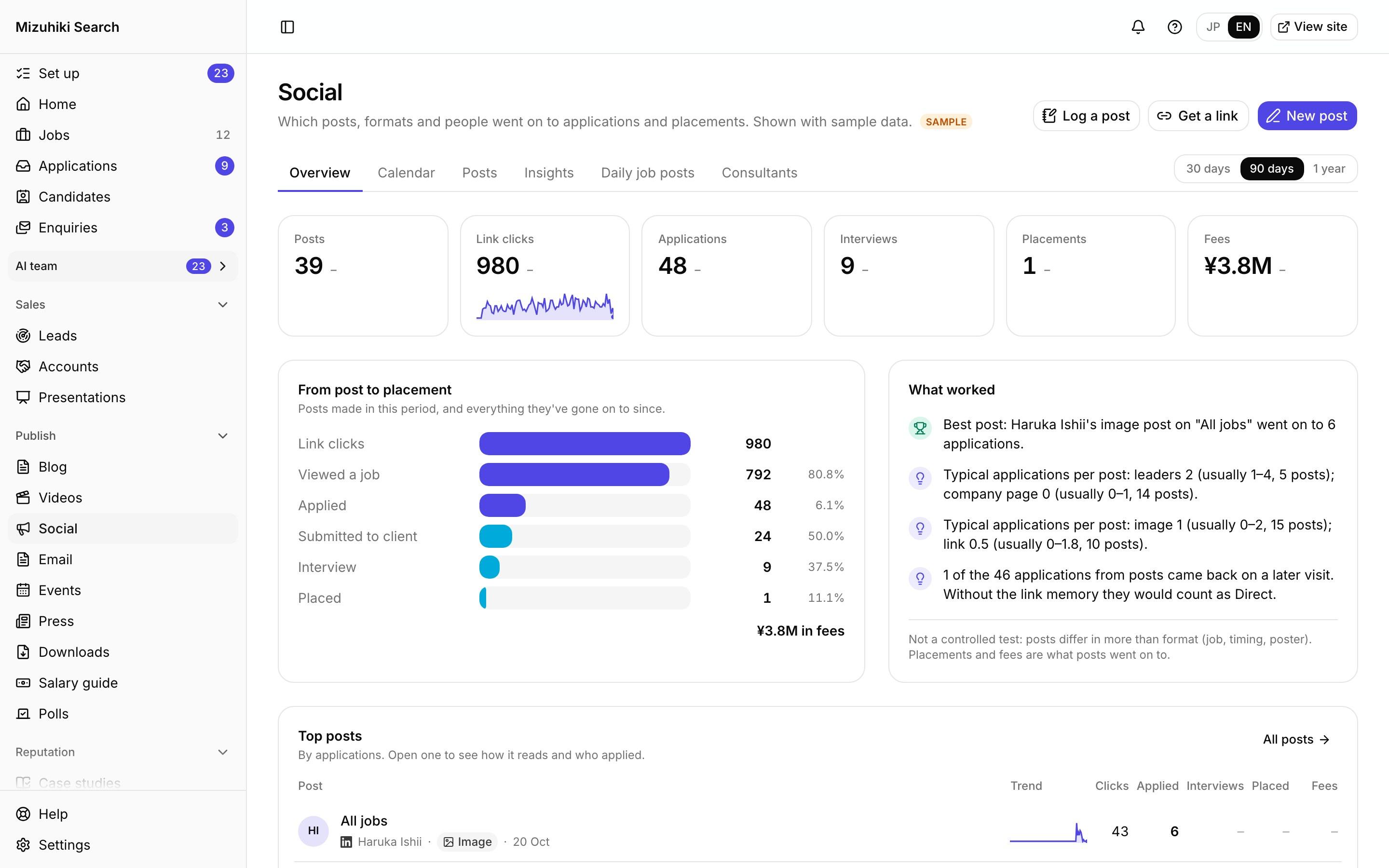
Real screens from Mizuhiki Search, a demo agency. Every name and figure on them is a sample.
See Each Tool at Work
Walk-throughs on real screens
Social
Social Posts You Can Follow to Placements
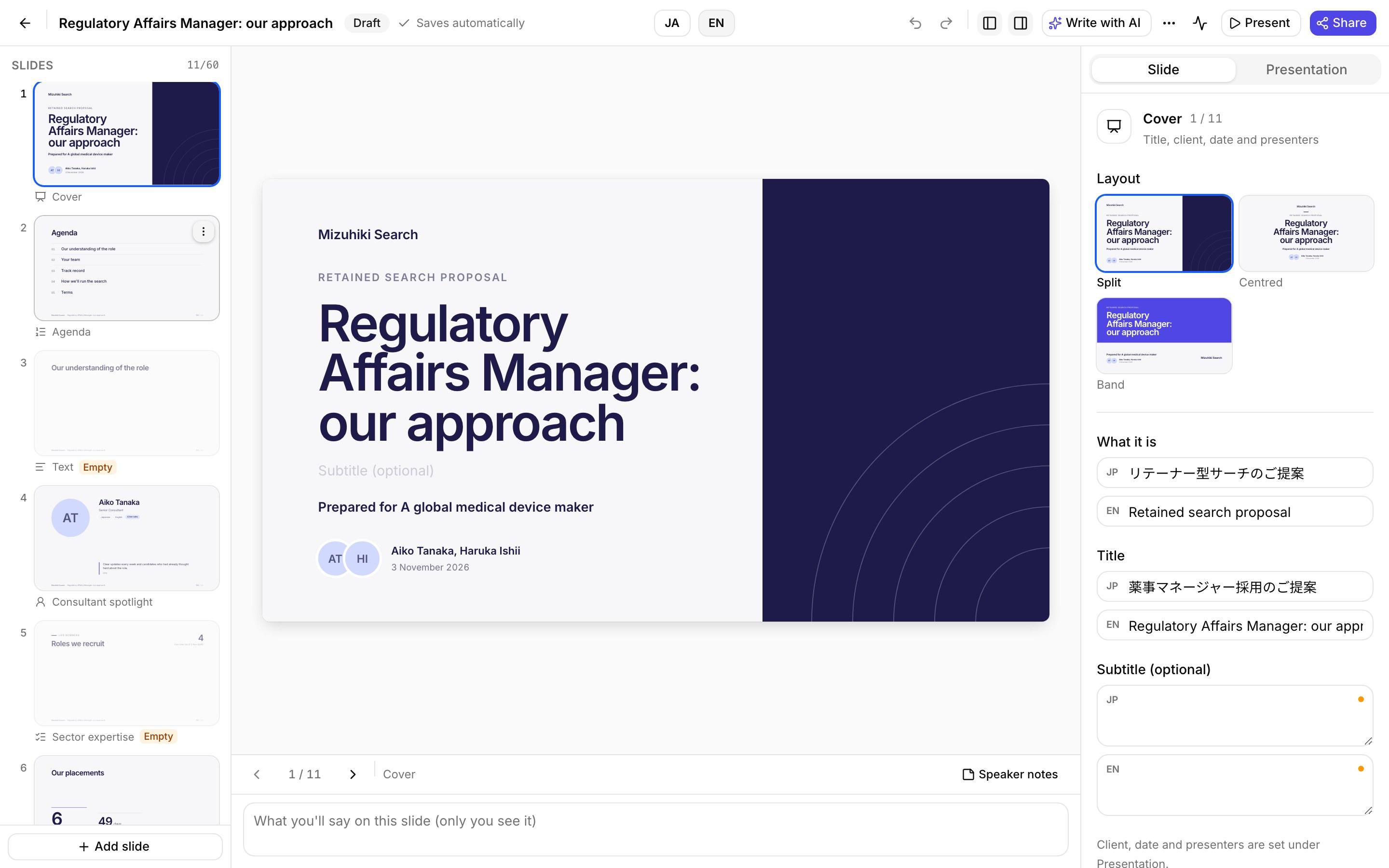
Presentations
Pitch Decks Built from Your Own Records
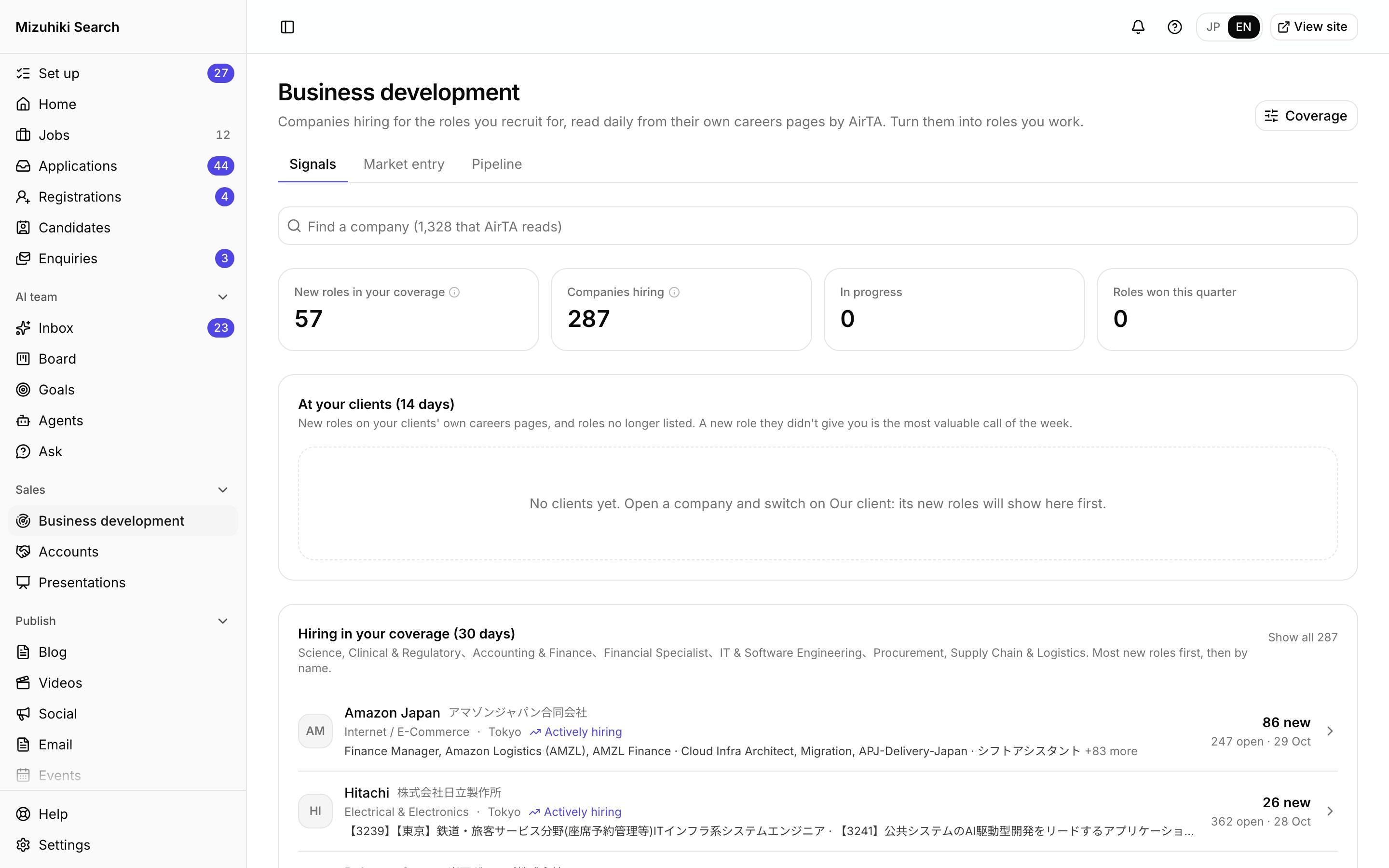
Business development
Companies Hiring for the Roles You Recruit
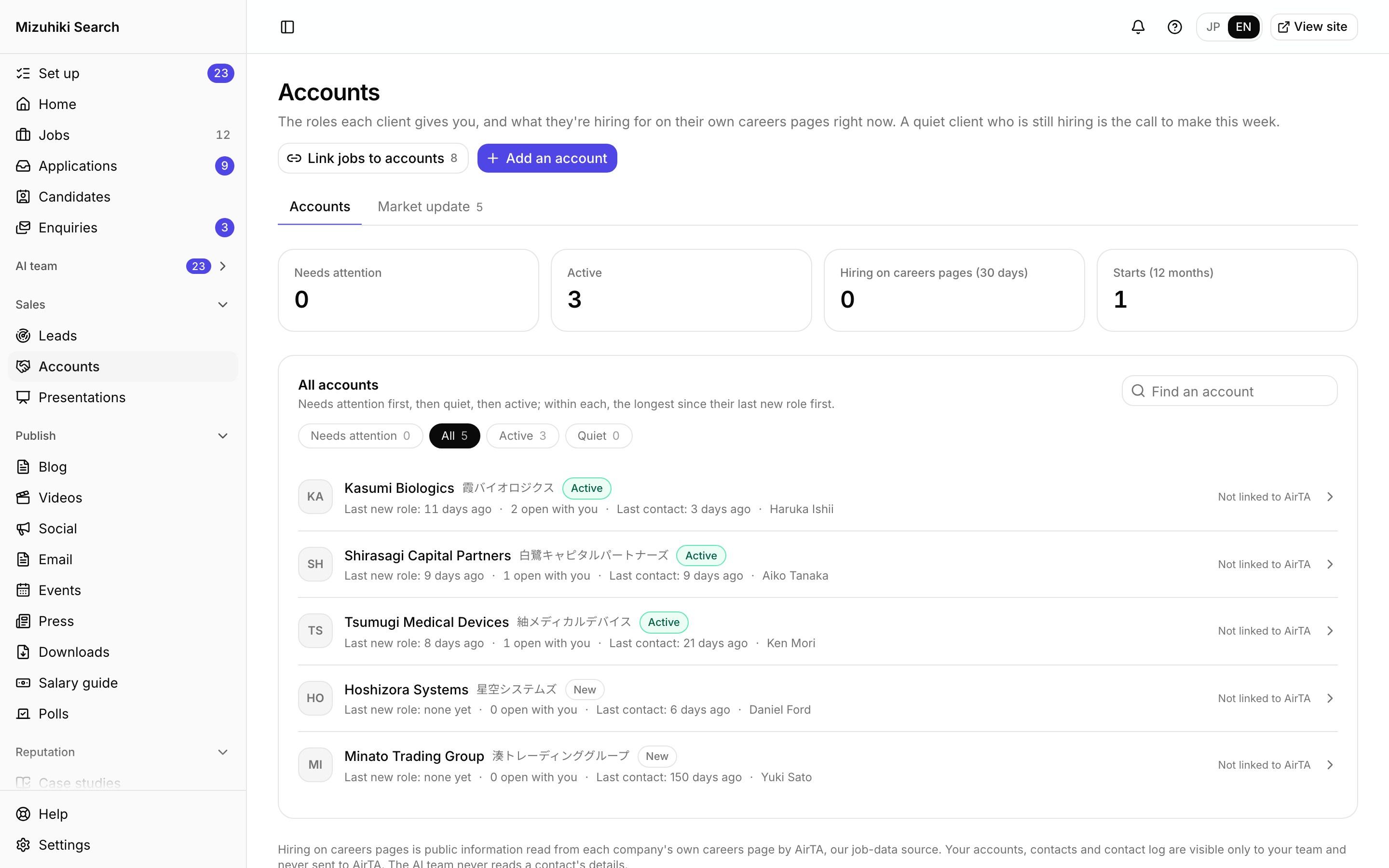
Accounts
Every Client's Activity and a Monthly Market Update
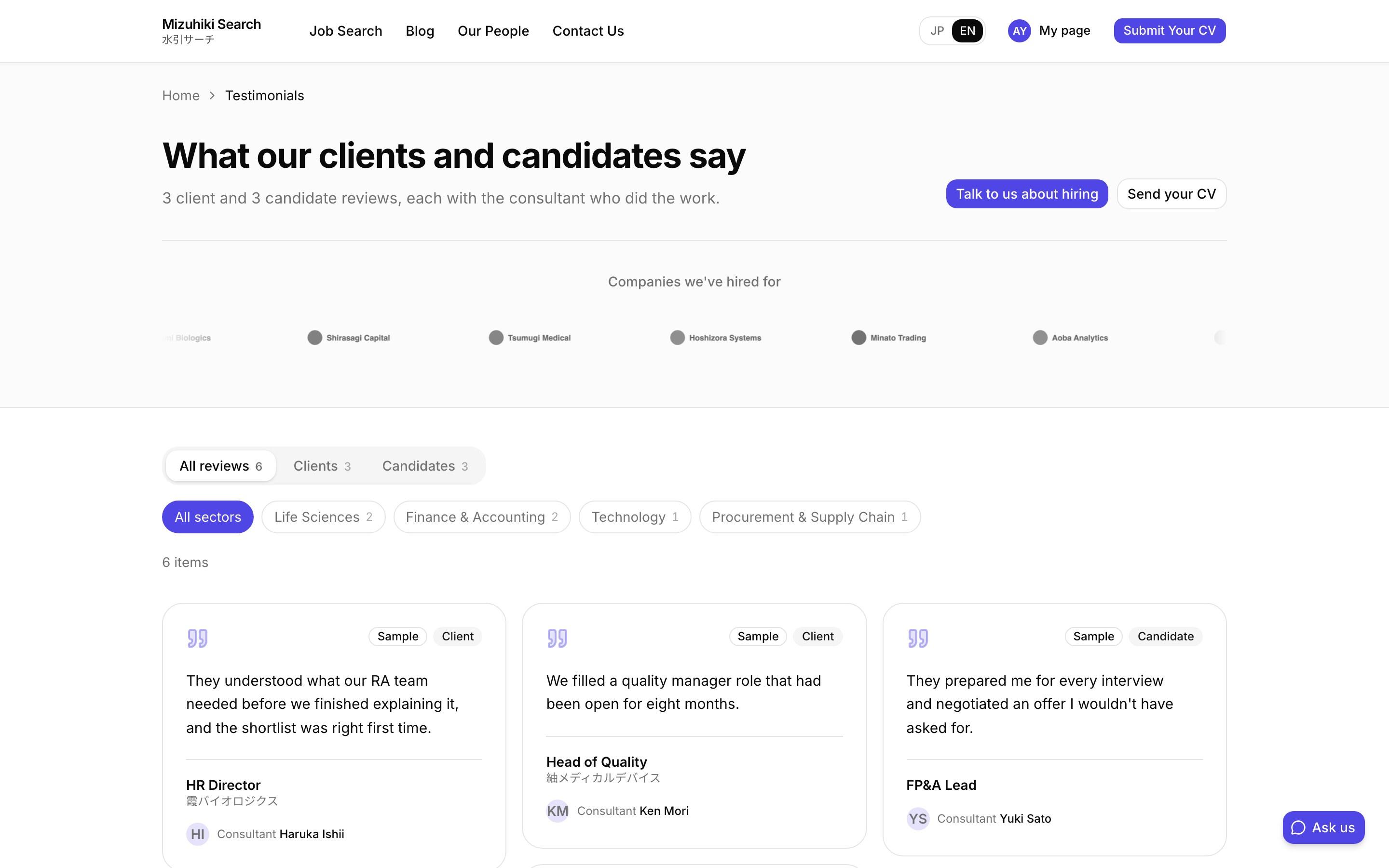
Testimonials
Testimonials with a Record of Who Agreed
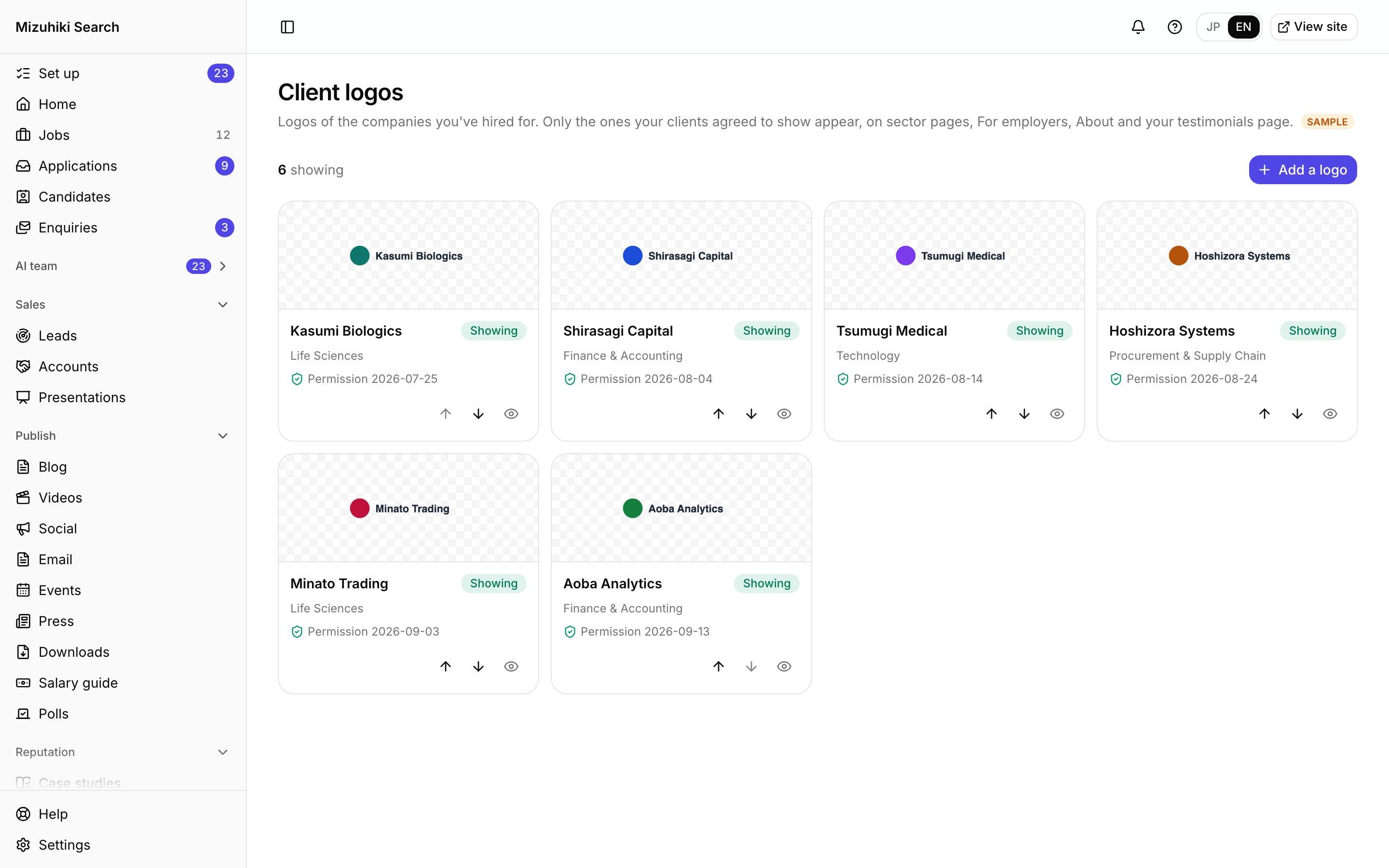
Client logos
Client Logos Shown Only with Permission
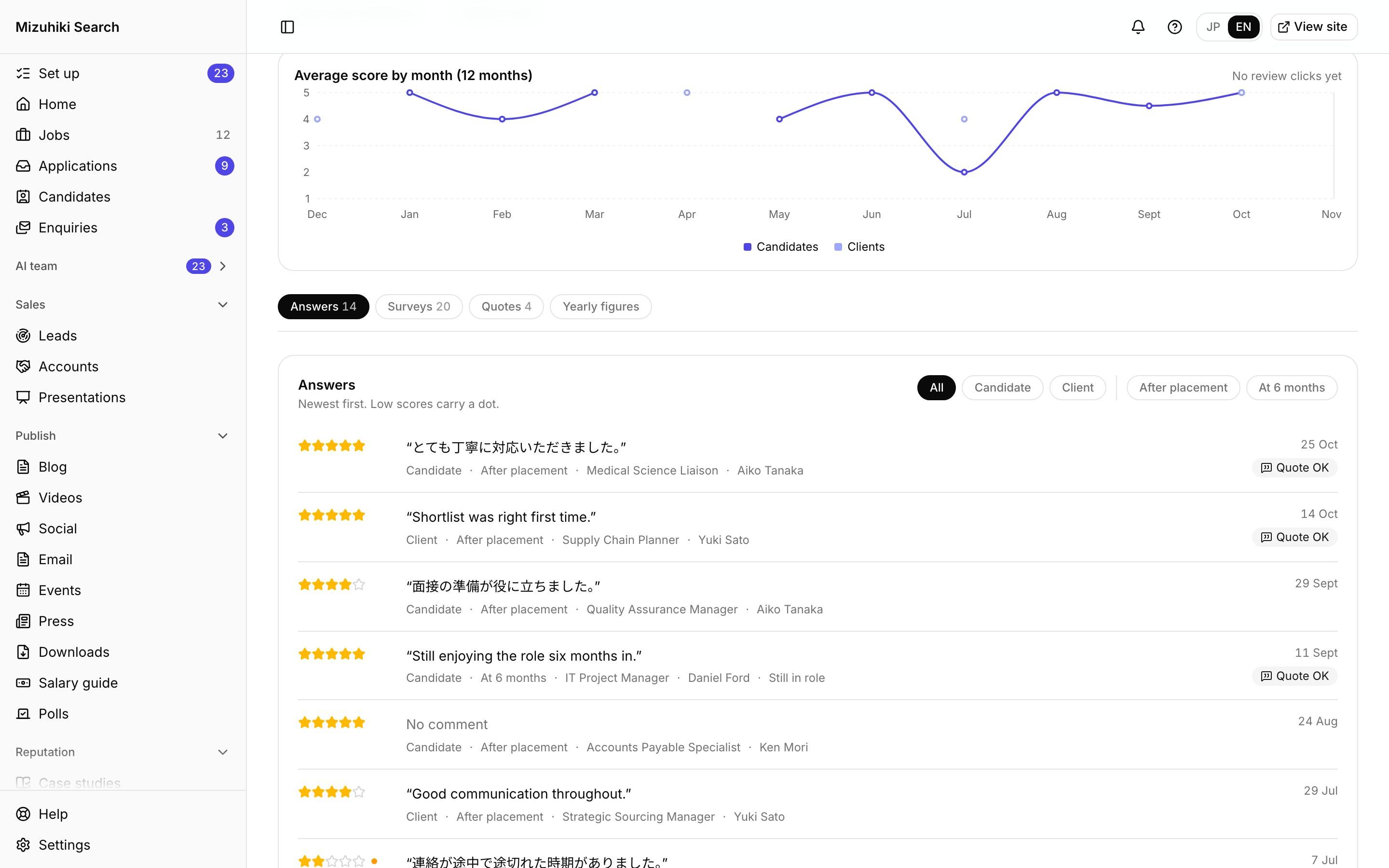
Feedback
Feedback After Every Placement, and Six Months On
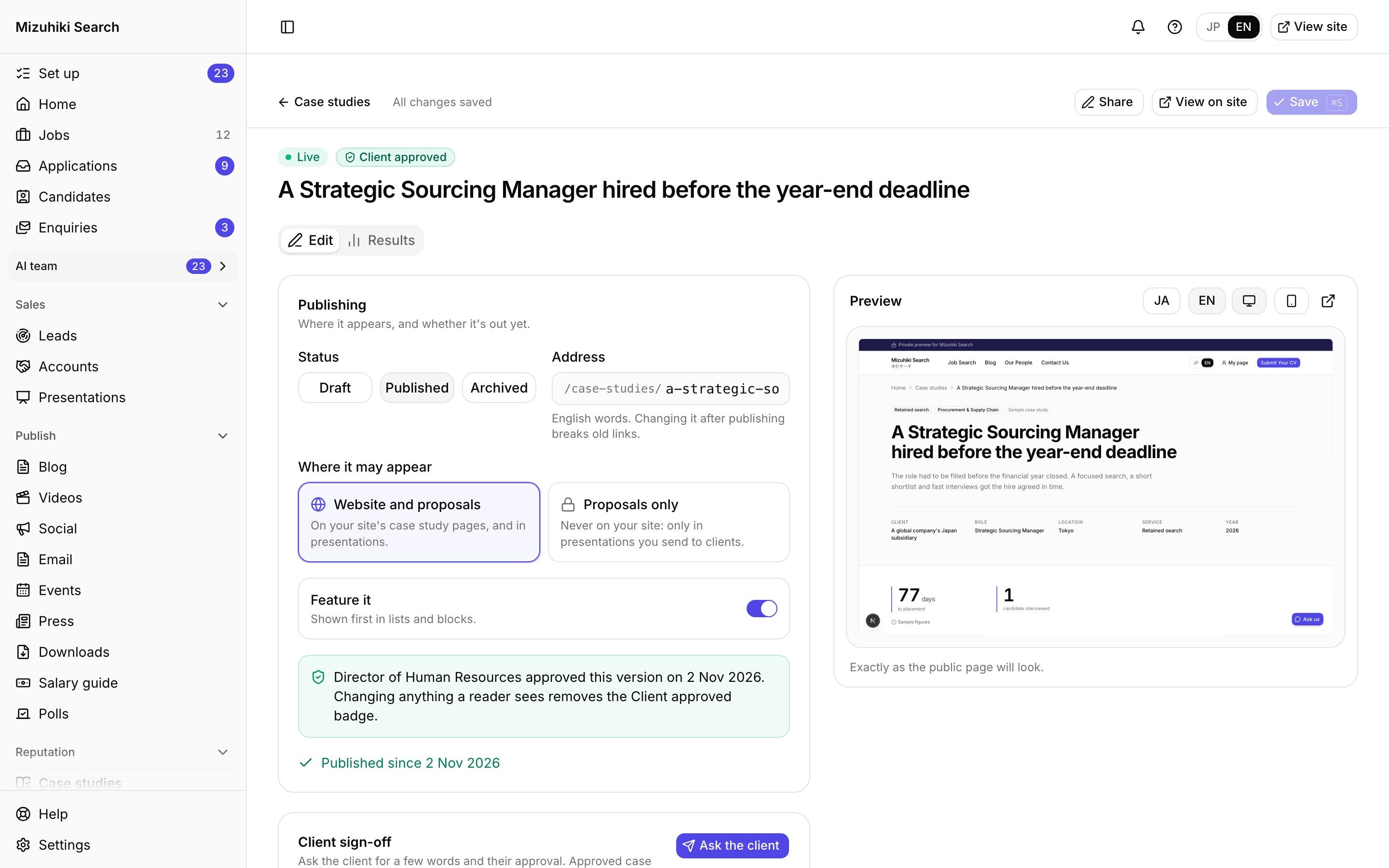
Case studies
Case Studies with Receipts
Try it
A Pitch Deck Built from Your Site
The capabilities template, drawn by the real slide renderer for our demo agency. Every name and figure on it is sample data.
Hiring in life sciences, 2027
Templates for every meeting
Retained and contingency pitches, RPO, a market briefing, capabilities and a quarterly review. Start from one, or describe the meeting and get an outline.
Facts from your records
Your people, case studies, placement figures and fees come from the site's own data. Placement figures show only from 3 placements up.
Present, share or download
Present from the browser, send a private link, or download PowerPoint. Japanese, English or both.
Social Posts That Show Their Results
Graphics drawn from your live data, and a link that shows which posts led to applications and placements.
See the posts tableLive jobs by sector
Where we're hiring this month
- 01Life Sciences3 jobs
- 02Finance & Accounting2 jobs
- 03Technology2 jobs
- 04Procurement & Supply Chain2 jobs
Life sciences leads our open roles.
Drawn from the demo agency's sample jobs. Code draws every number; AI only picks the layout and words.
A link per post, per person
Every post gets a short link on your own domain. Each consultant who shares it gets their own.
Followed to placement
Applications from each link are followed to interviews and placements, so you can see which posts, formats and people bring candidates who get hired.
No tracking cookies
A link's code is remembered on the visitor's device for up to 30 days and read only when they apply. No visitor id.
Comparisons are descriptive, never a controlled test
Business development
Companies Hiring for the Roles You Recruit
Choose the roles and places you cover, and see the companies listing new roles in them, read from their own careers pages by AirTA. Open one, follow it from first call to working a role, and import a role as a draft job of your own.
- Public roles only, ordered by what's new, never scored
- Mark a client and its new roles show first
- Your notes and progress are never sent to AirTA
 Open it live
Accounts
The Client to Call This Week
Each client's roles, how far your candidates got and when you last spoke. Quiet clients who are still hiring on their own careers page rise to the top, and a monthly market update goes to the contacts who agreed to it.
- Needs attention, by your own definition of quiet
- Market update figures counted by code, words edited by you
- Sent only to contacts whose consent is on record
 Open it live
Case studies
Case Studies, Ready for Proposals
The same case studies that sit on your site drop into a deck, with the client's chosen naming and the figures from your records. A client who prefers to stay off your website can approve one for proposals only.
- Figures counted from your records, marked "From our records"
- The client decides how they're named
- Fees and revenue never appear
Open it liveTestimonials
Quotes with a Record of Who Agreed
Client and candidate quotes on your site, in decks and in posts, credited to the consultant who did the work. Each records who wrote it and when they gave permission, and one without permission stays off your live site.
- Japanese and English written separately
- Shown on the consultant's profile and sector pages too
- Repeated in social posts only with a separate yes
Open it liveClient logos
Logos Shown Only with Permission
Find a client's logo from their own website in one step, choose the sector pages it belongs on, and record the date they agreed. Without that date, it can't appear on your site.
- Up to three suggestions from the client's site, or your own file
- A wall or a scrolling strip, from three logos
- Hide or delete it the day a client withdraws
 Open it live
Feedback
Hear from Everyone You Place
The same short survey to every placed candidate and their client, after the placement and at six months. Low scores are marked for a follow-up, and comments people agree to share wait as testimonial drafts for your approval.
- Check each survey first, or send at 08:00 automatically
- The same review links for every score
- Only placements from the day you switch it on
Open it liveWho Helps You Sell
Meet the whole teamMarket Analyst
Compares your jobs with AirTA's market data, so a pitch can say what the market is hiring for.
SEO and Content
Drafts the sector pages a client lands on after your meeting.
Client Marketer
Suggests which client to call this week and drafts the words. Someone on your team sends it.
Reputation
Turns survey answers into fixes to look at and testimonial drafts to approve.
See Your Record in a Deck
Your private preview shows your own people and sectors on the site; the deck builder comes with it when you join.
Start free trial