A Site Candidates Finish Applying On
One step to apply, on a phone, with no account. Clear statuses afterwards. Answers in Japanese or English. Every detail designed so a good candidate doesn't give up halfway.
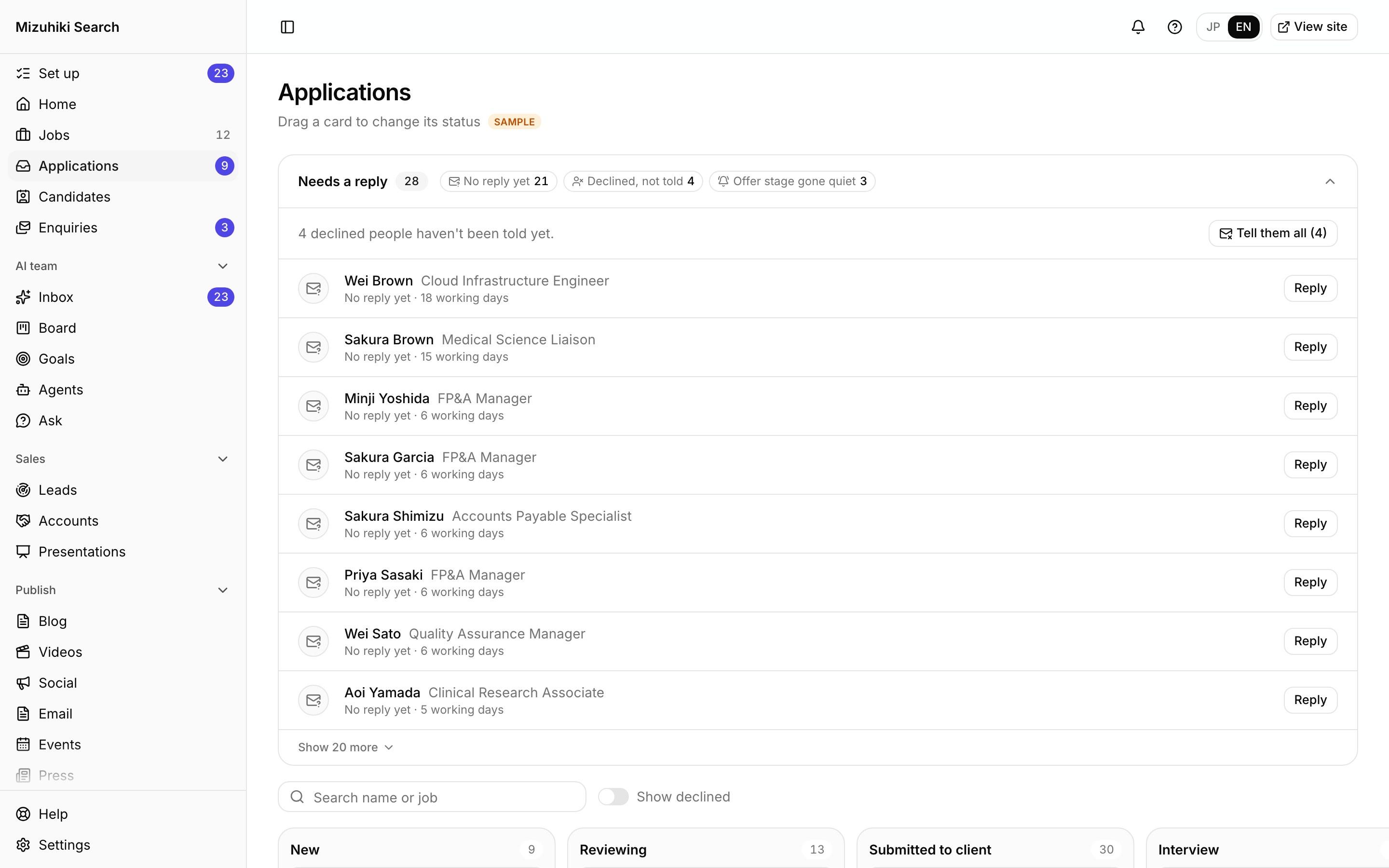
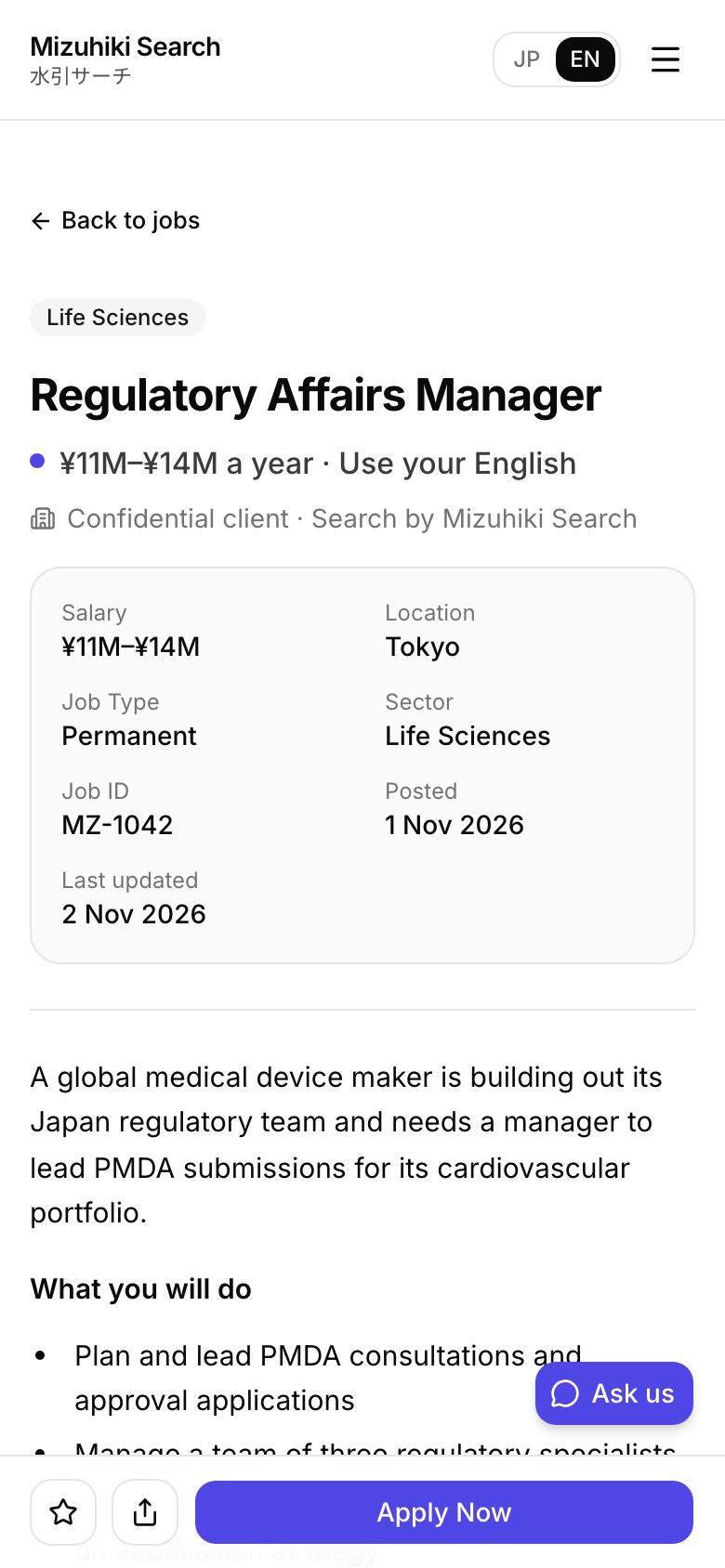
Real screens from Mizuhiki Search, a demo agency. Every name and figure on them is a sample.
See Each Tool at Work
Walk-throughs on real screens
Applications
Every Application on One Board, from Applied to Placed
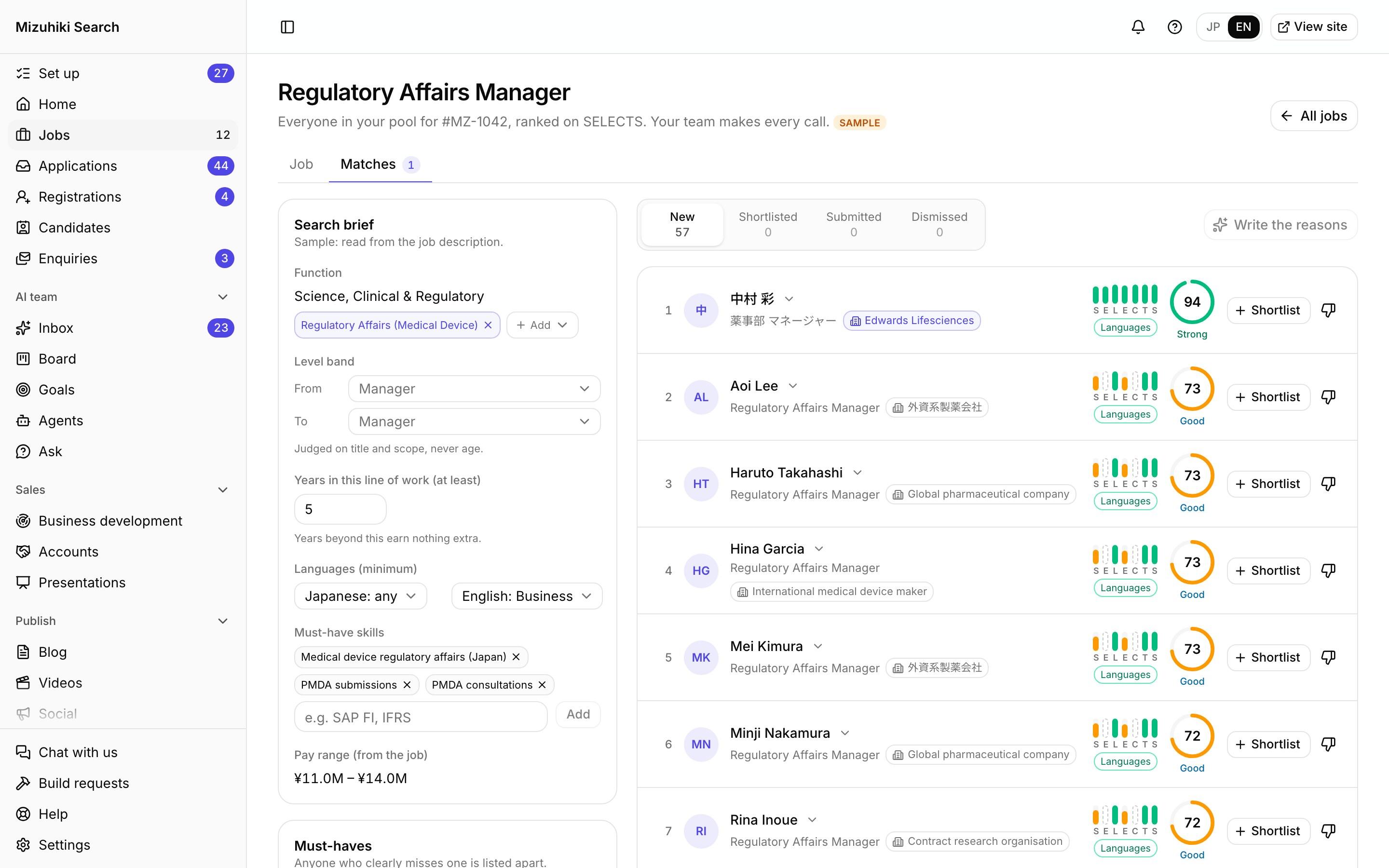
Matching
Your Candidate Pool, Matched to Every Live Role
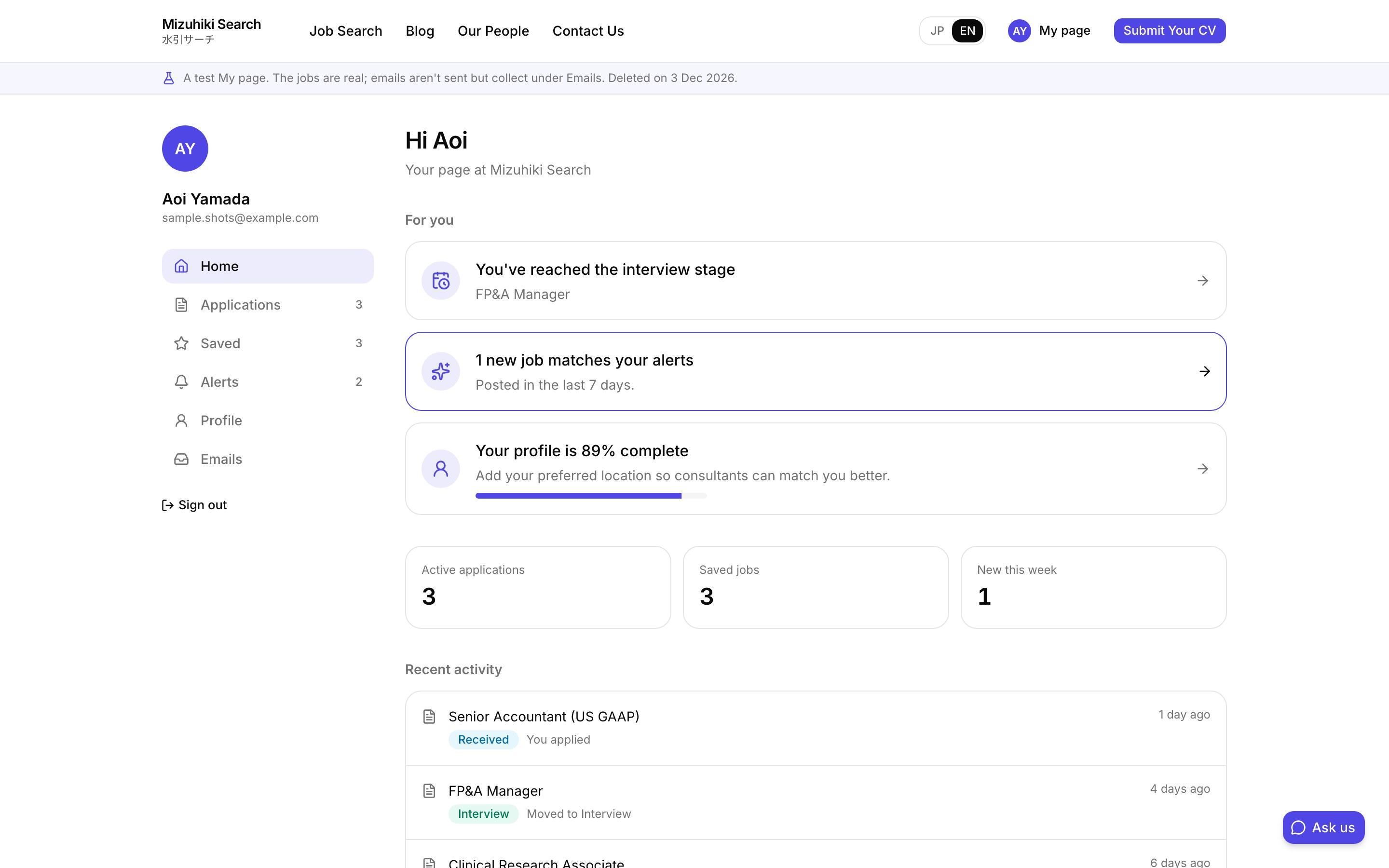
My page
My Page: Saved Jobs, Applications and Alerts in One Place
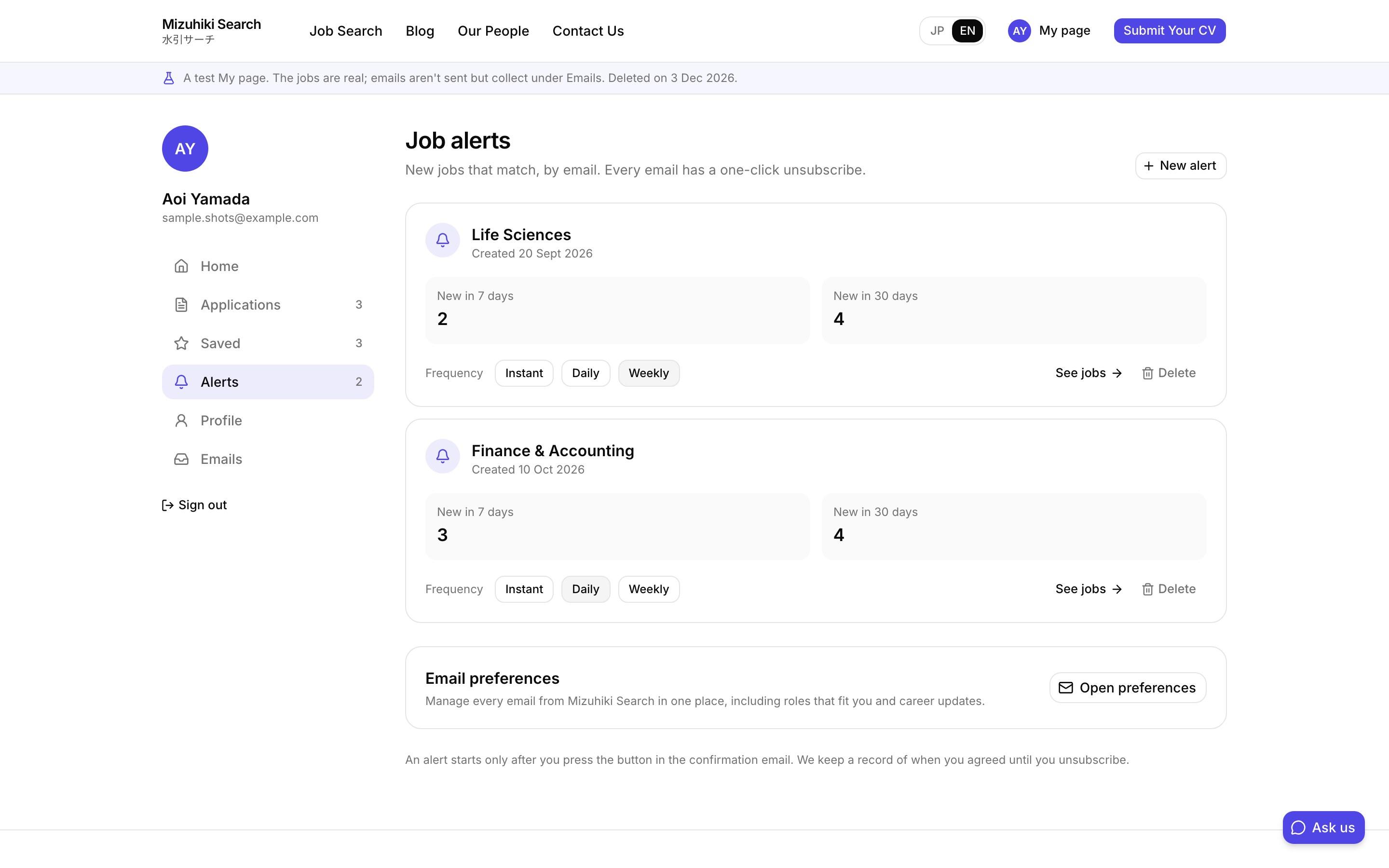
Job alerts
Job Alerts by Email and LINE
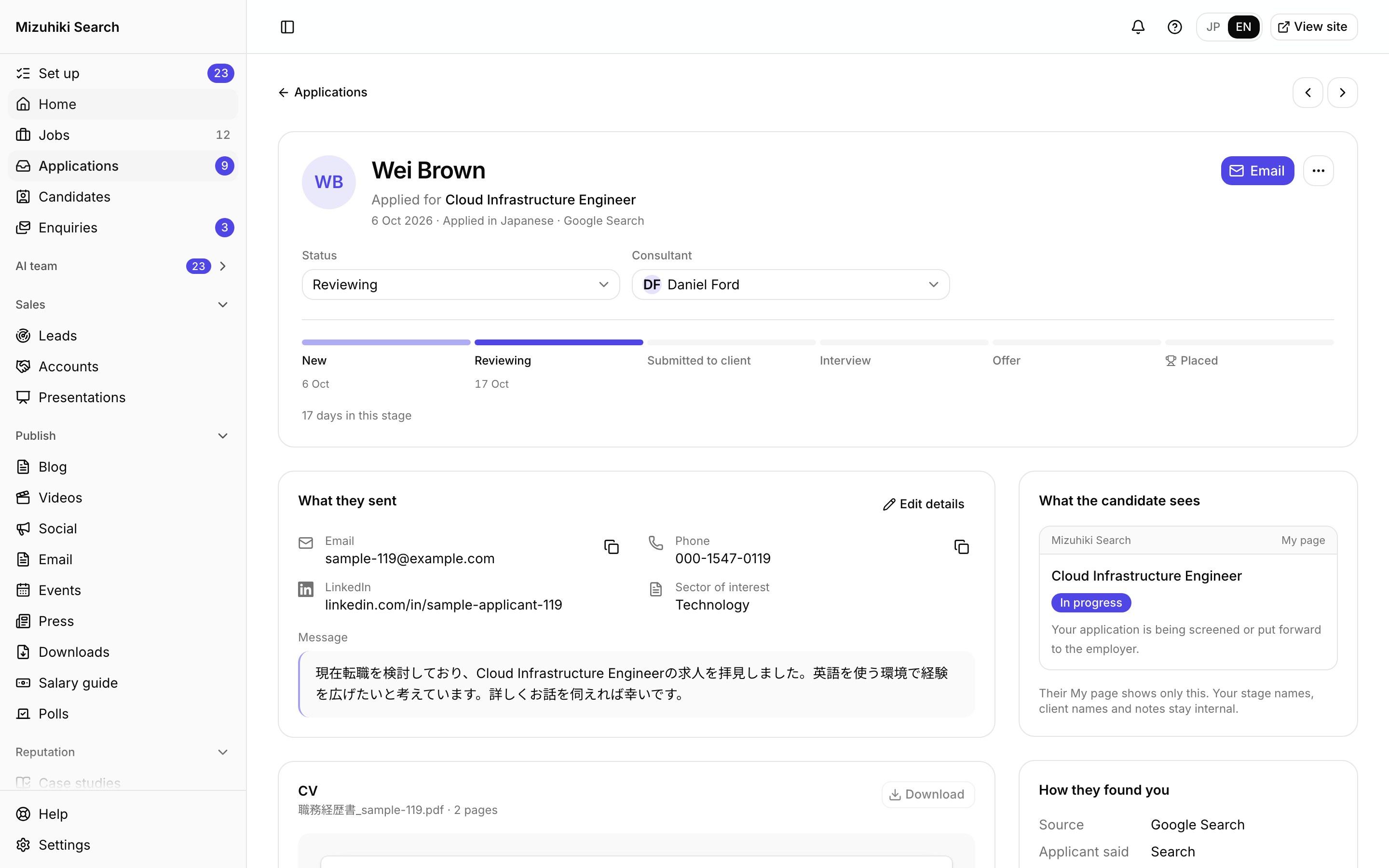
Applying
One-Step Applications with a CV, on Any Phone
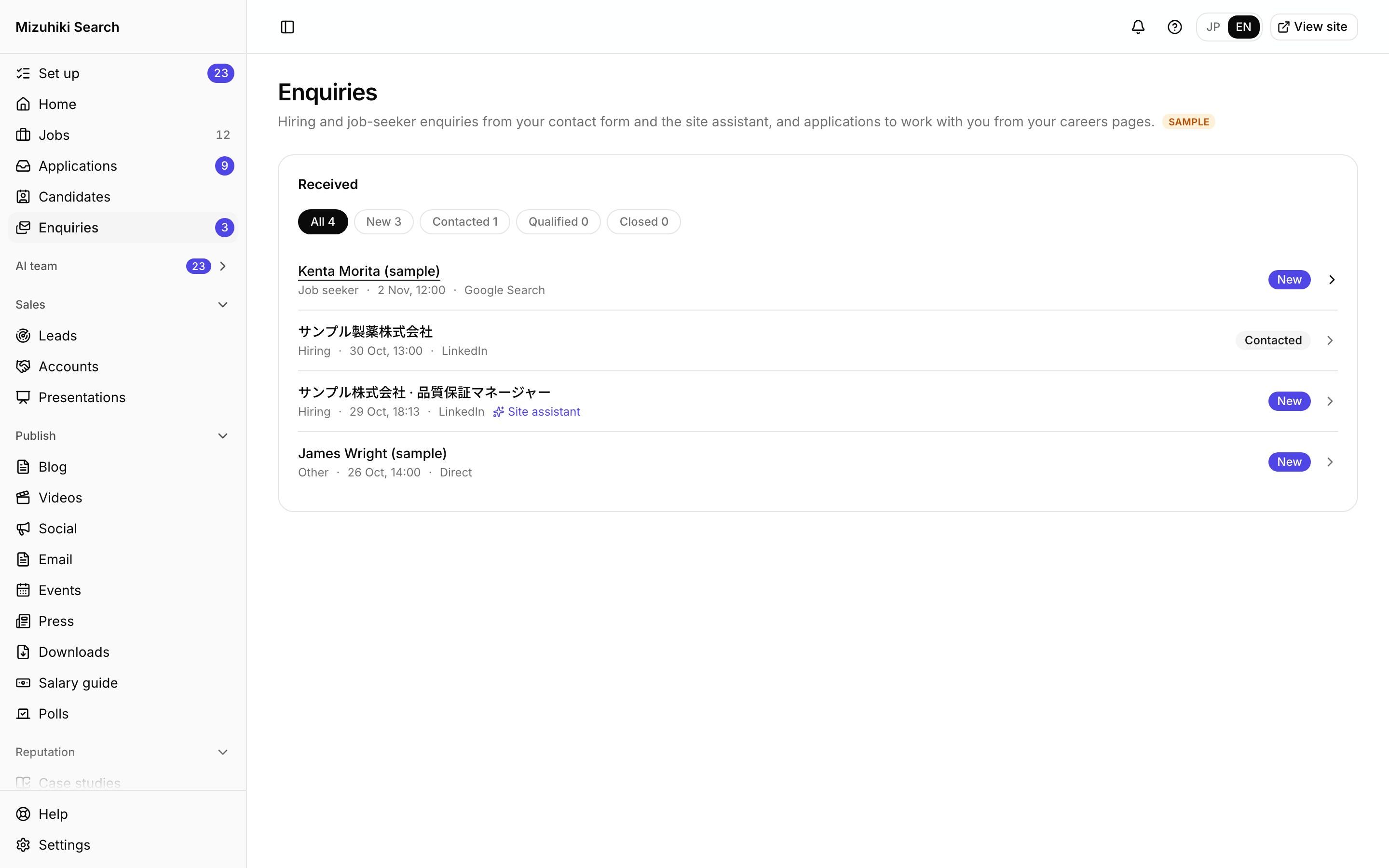
Enquiries
Every Enquiry, Answered and Tracked
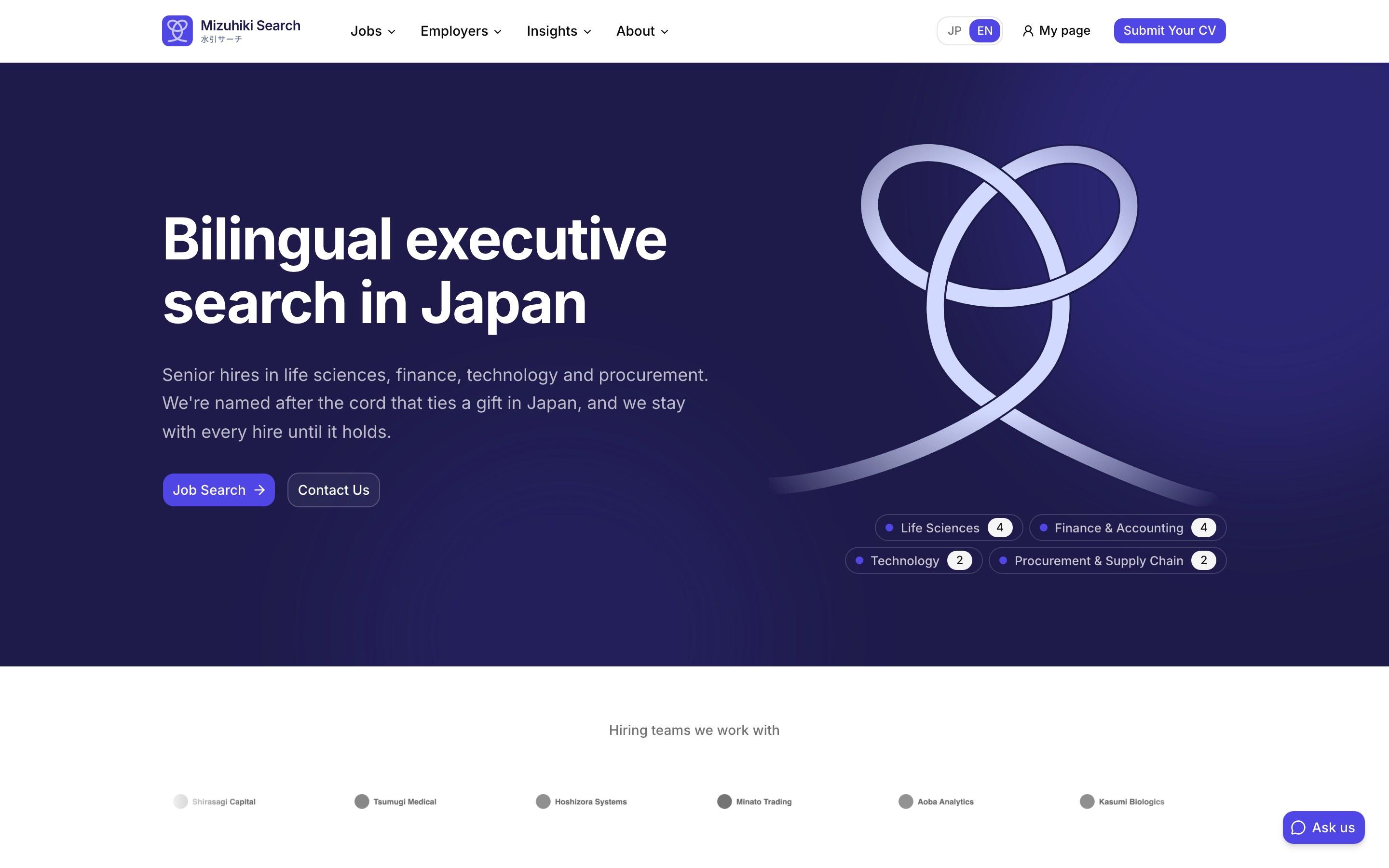
Site assistant
A Site Assistant That Answers from Your Own Pages
Registrations
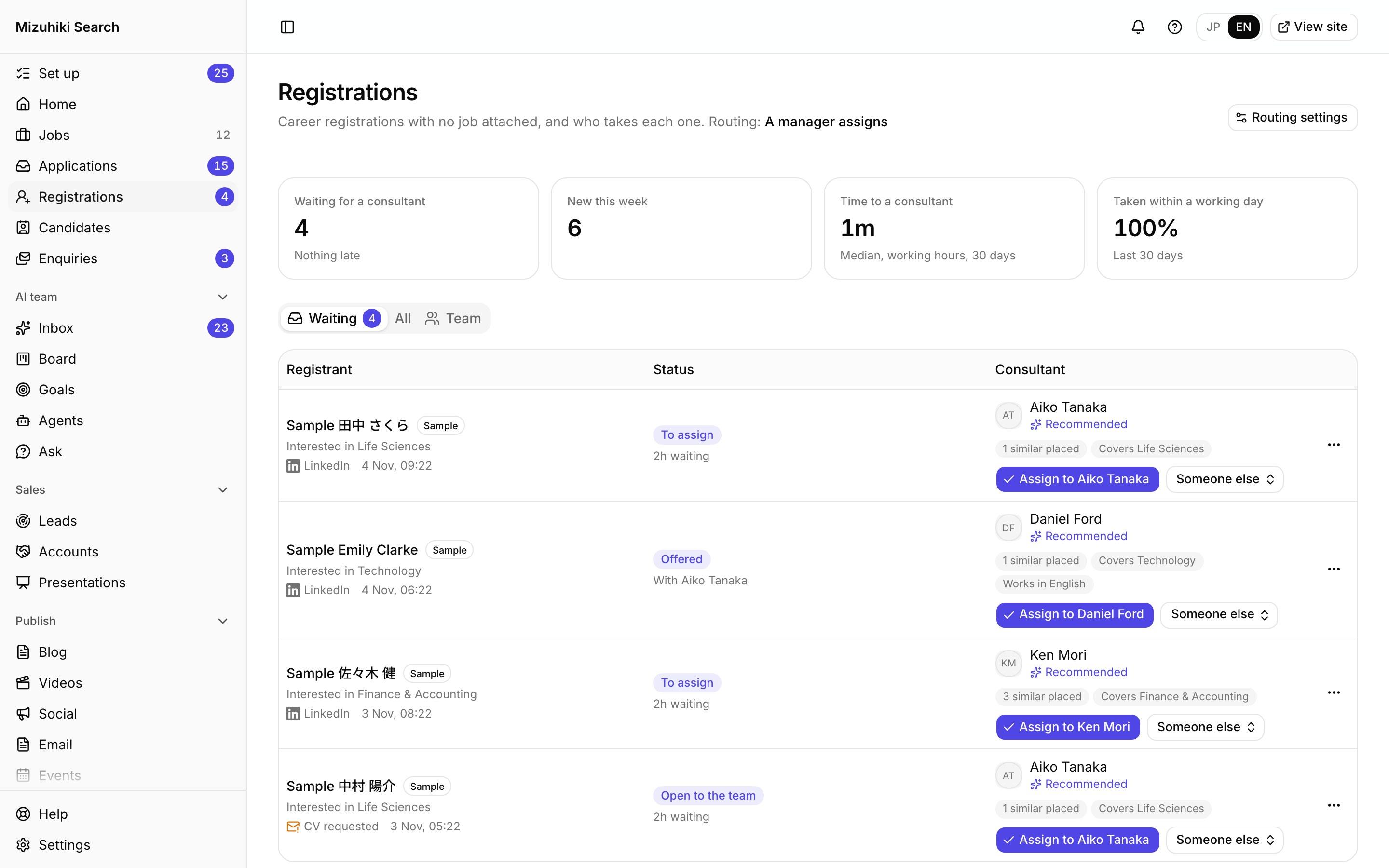
Every Career Registration Reaches the Right Consultant
Candidate Assistant
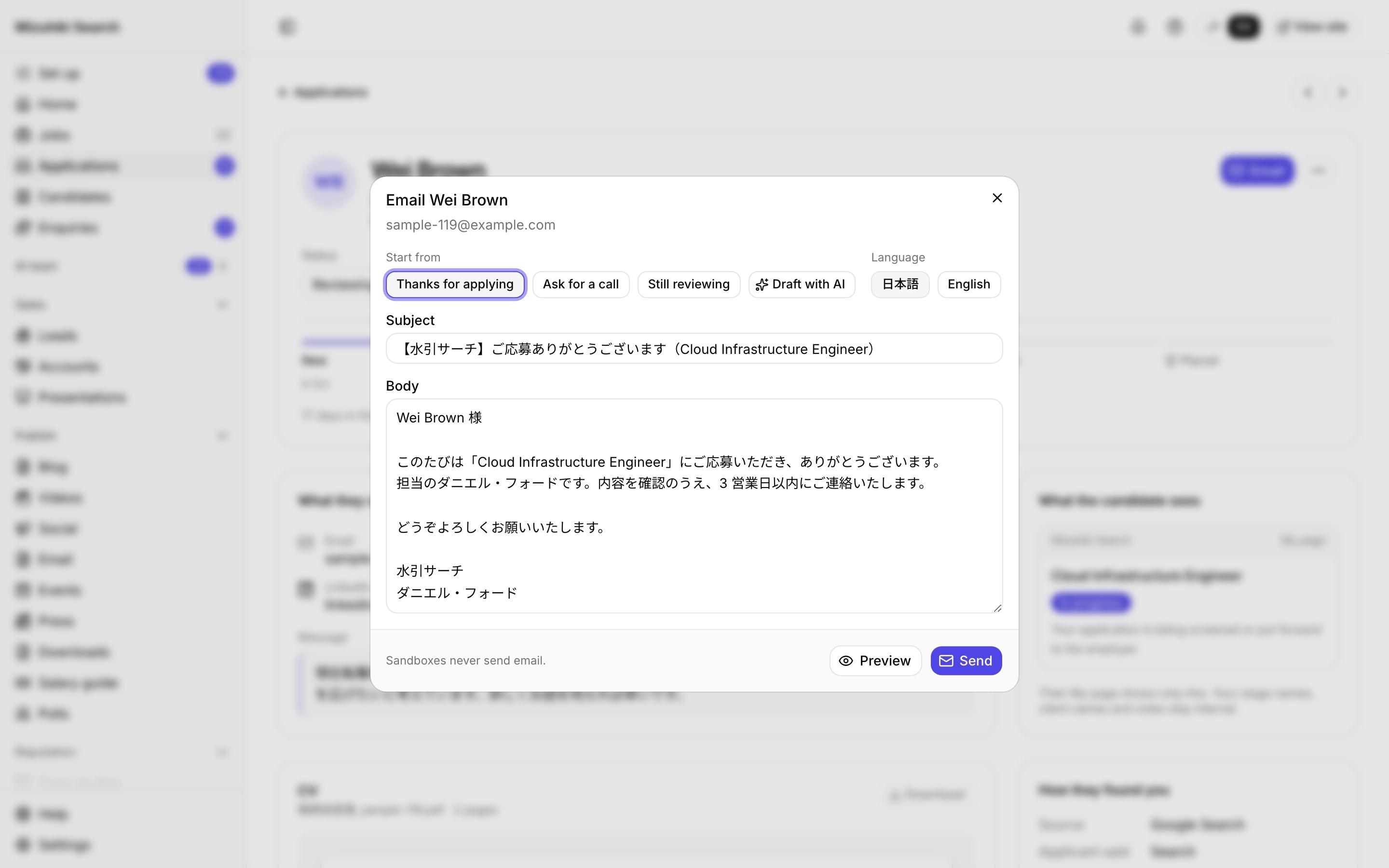
Reply Drafts and Interview Prep for Every Applicant
LINE
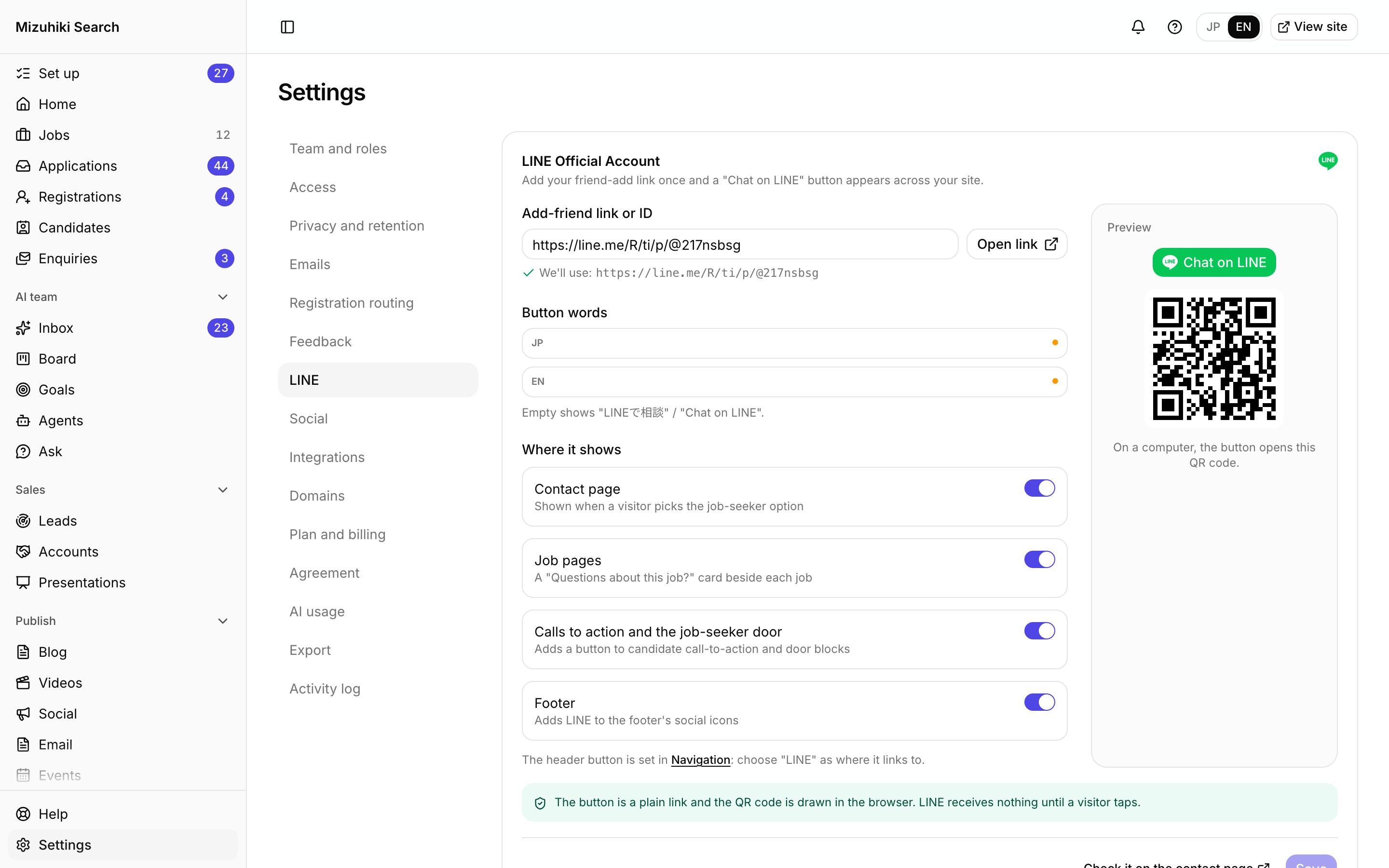
LINE on Your Job and Contact Pages
Job descriptions
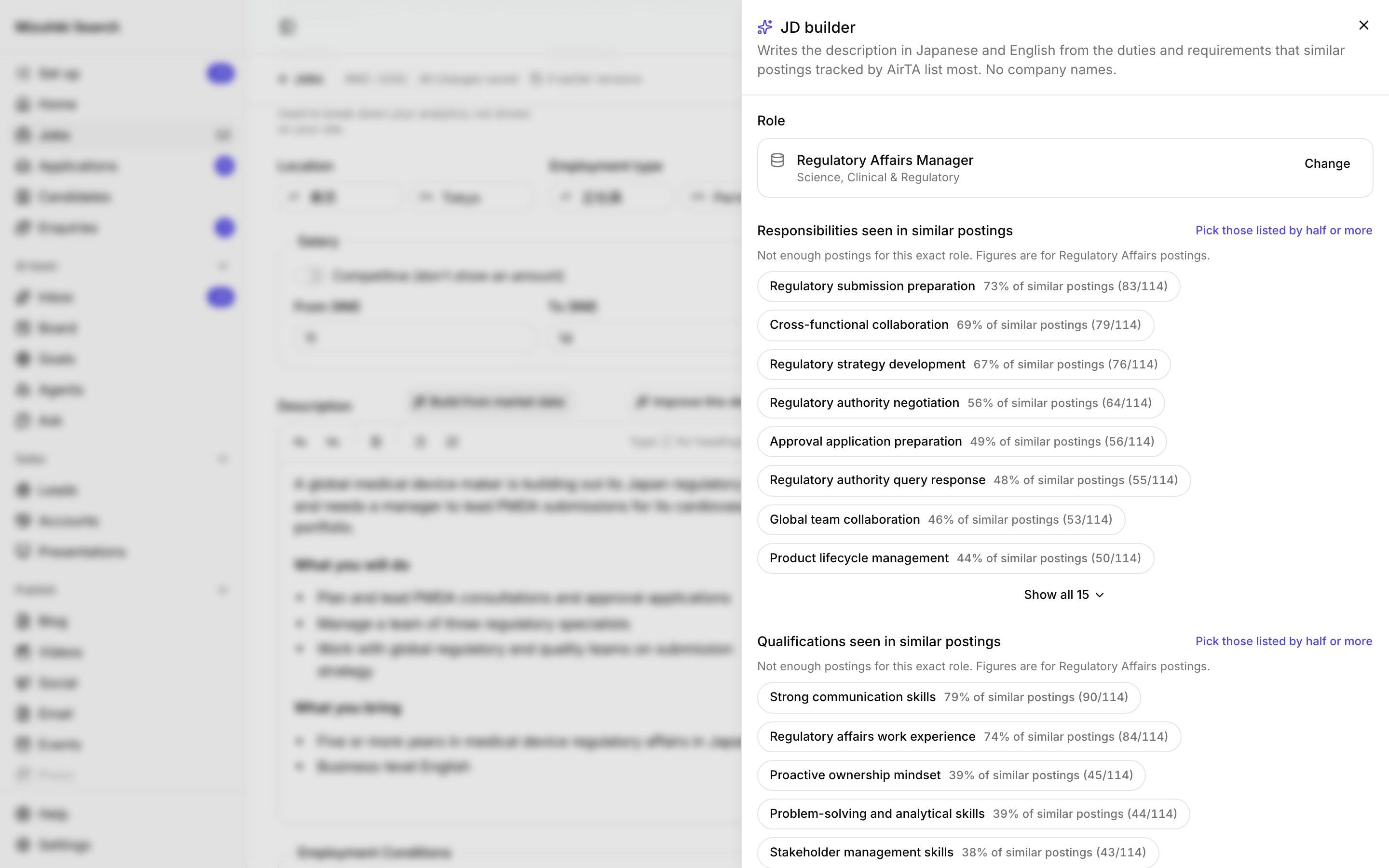
Job Descriptions Built from What the Market Lists
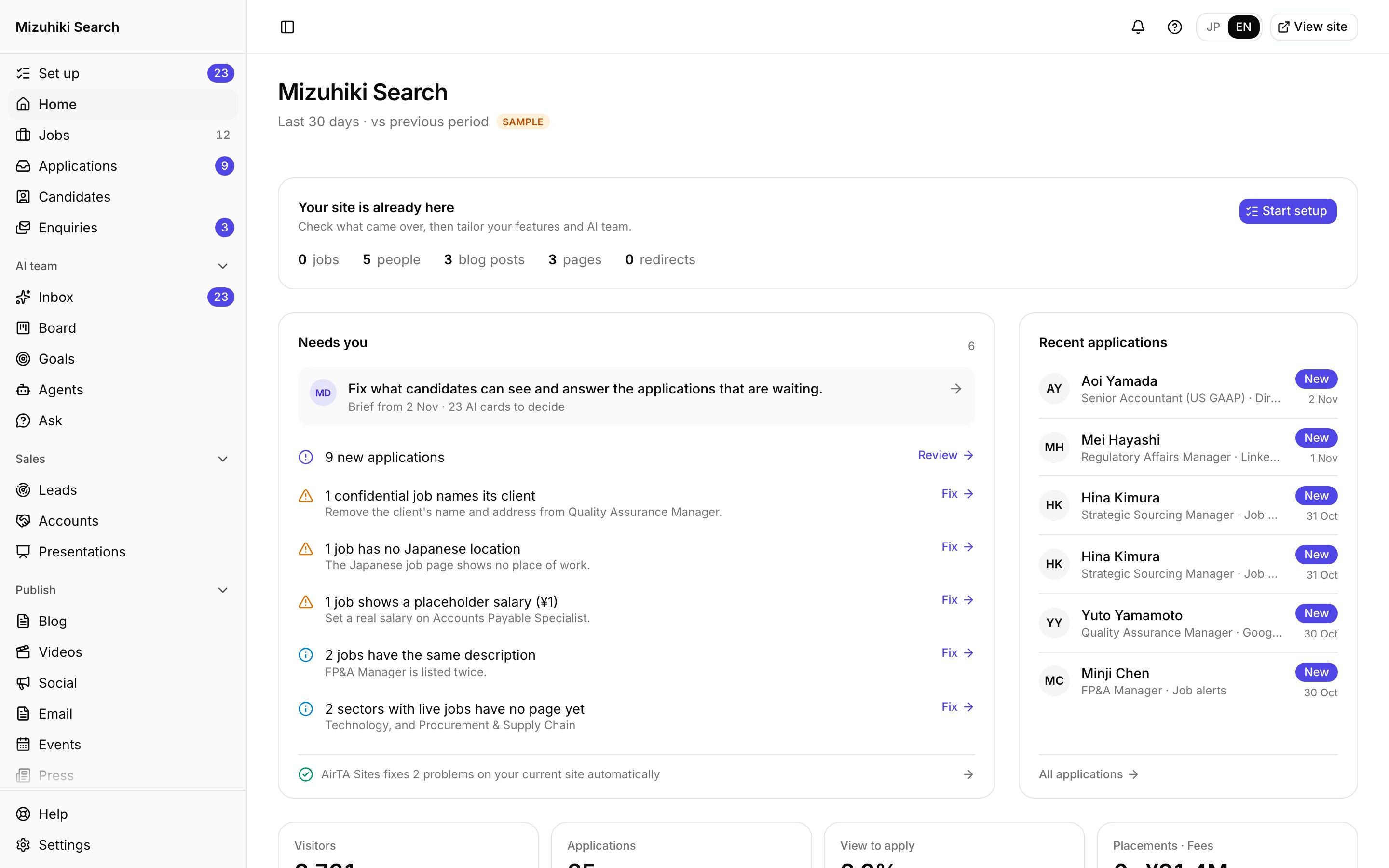
Admin
One Admin for Your Whole Agency's Marketing
Try it
Apply in One Step
The real job card and apply form from an agency site. Fill it in and send it: in this demo nothing is stored or sent anywhere.
Mizuhiki Search · sample job
Regulatory Affairs Manager
Use your English
No sign-up wall, no forms over several pages. A CV or a LinkedIn profile is enough, and the privacy notice under the form is written from the agency's own settings.
What Candidates Are Told Matches What Happens
Choose how long applications are kept. The form's privacy notice rewrites itself, in both languages.
Settings · Privacy
Keep applications for
Then deleted automatically. Shortening the period applies to applications already held after a 7-day warning; lengthening it applies only to new ones.
What the apply form tells candidates
Your application is kept while it is in progress. Once 90 days pass without any change to it, your name, contact details, CV and everything else that identifies you are deleted automatically; only an anonymous record for counting applications stays. If you arrive from a link in a post, its code (which identifies no one) is kept on this device for up to 30 days and used only to tell which post your application came from. You can ask Mizuhiki Search to show you or delete your application at any time.
Applications
Your Pipeline In, Four Plain Statuses Out
Drag applications through your own stages. Candidates see only four plain statuses, so internal stage names and client names never reach them.
- Received: Your consultant is reading your application.
- In progress: Your application is being screened or put forward to the employer.
- Interview: You're at the interview stage. Your consultant will arrange the times.
- Closed: This application has finished. Your consultant will be in touch with the details.
Open it liveMatching
Your Pool, Matched to Every Live Role
The Researcher scores everyone you hold against each live role on seven factors and shows why. Your team makes every call.
- Level read from title and scope, never age
- A missed must-have is listed apart, never hidden
- Off until an owner allows applicant data for AI
Open it liveMy page
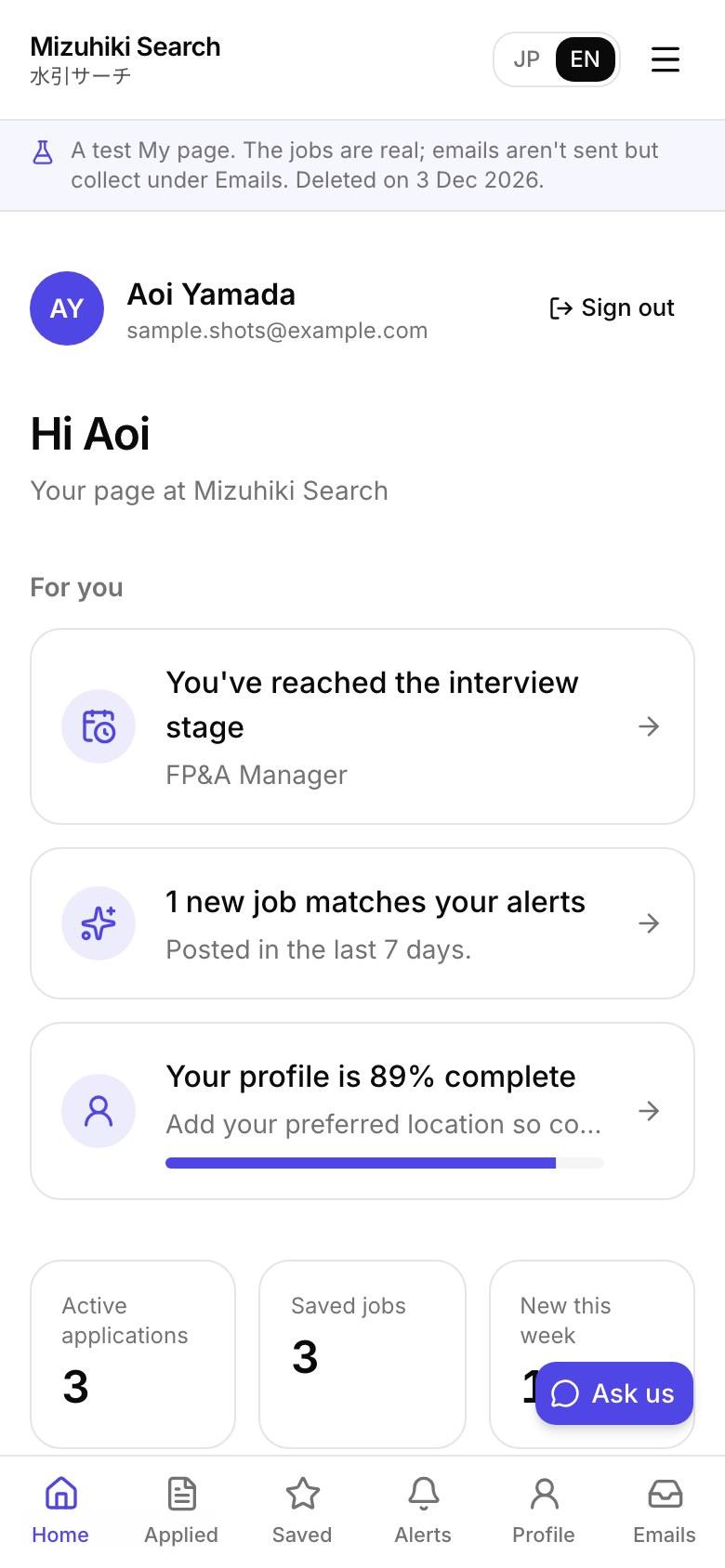
My Page, Without the Friction
Everything a candidate needs after applying, and nothing in the way before it.
- No password: Candidates sign in with a 6-digit code sent to their email. An account is offered after they apply, never before.
- Saved jobs and alerts: Save roles, and get new ones by email instantly, daily or weekly, with a one-click unsubscribe.
- Their data, their call: They can see what you hold, download it and ask for it to be deleted, as Japan's privacy law expects.
- A site assistant: Answers questions from your own pages: your jobs, consultants, offices and how to apply. Fees, law and visas go to a consultant.
Job alerts
New Jobs by Email or LINE, Never Twice
Candidates pick sectors, locations and keywords, confirm by email, and choose instantly, daily or weekly. Each job reaches them once, and nothing is sent at night.
- Starts only after they confirm by email
- Up to 10 matching jobs per email, one-click unsubscribe
- On LINE from your own account, if they prefer
Open it liveSite assistant
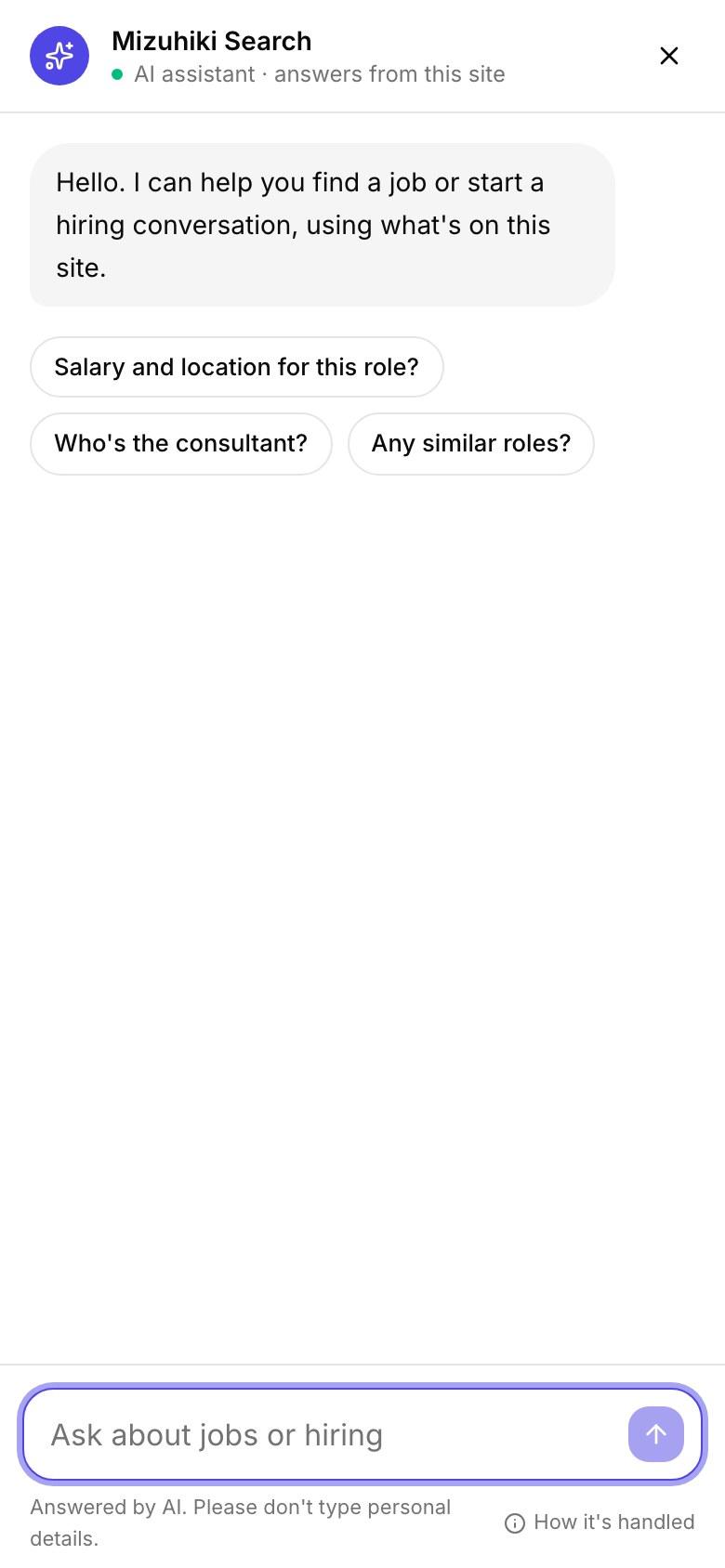
Answers from Your Own Pages, Day and Night
Visitors ask in their own words and get answers from what your site publishes, with jobs and consultants to match. Fees, law and visas always go to a consultant.
- Starter questions for each kind of page
- Contact details masked before anything is stored
- A monthly credit limit you set
Enquiries
Hiring Briefs Worth Replying To
The contact page asks employers for the role, salary band, timing and why they're hiring, with their job description attached. Job seekers get their own short form. Everything lands in one inbox with its source.
How enquiries work Open it live
Candidate Assistant
Replies and Interview Packs, Sent by a Person
Start from your templates or a draft written from the application and the job. Set an interview once and the candidate gets the details and a reminder the day before.
- Nothing goes until a consultant presses Send
- Declines only from your own templates
- Drafts that promise outcomes or name the client are stopped
Open it liveLINE
Chat on LINE, Where Candidates Already Are
Add your LINE Official Account once and the button appears on job pages, the contact page and the footer. Candidates can also take their job alerts on LINE.
How LINE worksOpen it liveRegistrations
Every Registration Reaches the Right Consultant
A registration with no job goes to your manager in one email, with the best-placed consultant picked. One tap assigns it, the candidate books a time from that consultant's calendar, and the consultant confirms how they heard of you after the meeting.
- Assign, offer in turn, or first to take it: your choice
- No names or contact details in any email
- Candidates book their own screening
Open it liveWho Watches the Apply Flow
Meet the whole teamSite Analyst
Finds the jobs people view and don't apply to, and measures how fast applicants get a first reply.
Jobs Editor
Fixes the job details that make a candidate hesitate: a missing salary, location or employment type.
Candidate Assistant
Reply drafts for everyone waiting and interview packs with a map and a reminder, for a person to send. Off until you allow applicant data for AI; names never reach the model.
See Your Apply Flow on a Phone
Your private preview includes the phone view of a real job page, so you can time the apply yourself.
Start free trial